Three Bad Reviews from Poor Communication Can Cost $300,000 in Lost Referrals.
WFP keeps customers informed automatically through SMS phase updates, a customer portal, and messaging wizards, so any 'when are you coming?' call gets answered before it happens.
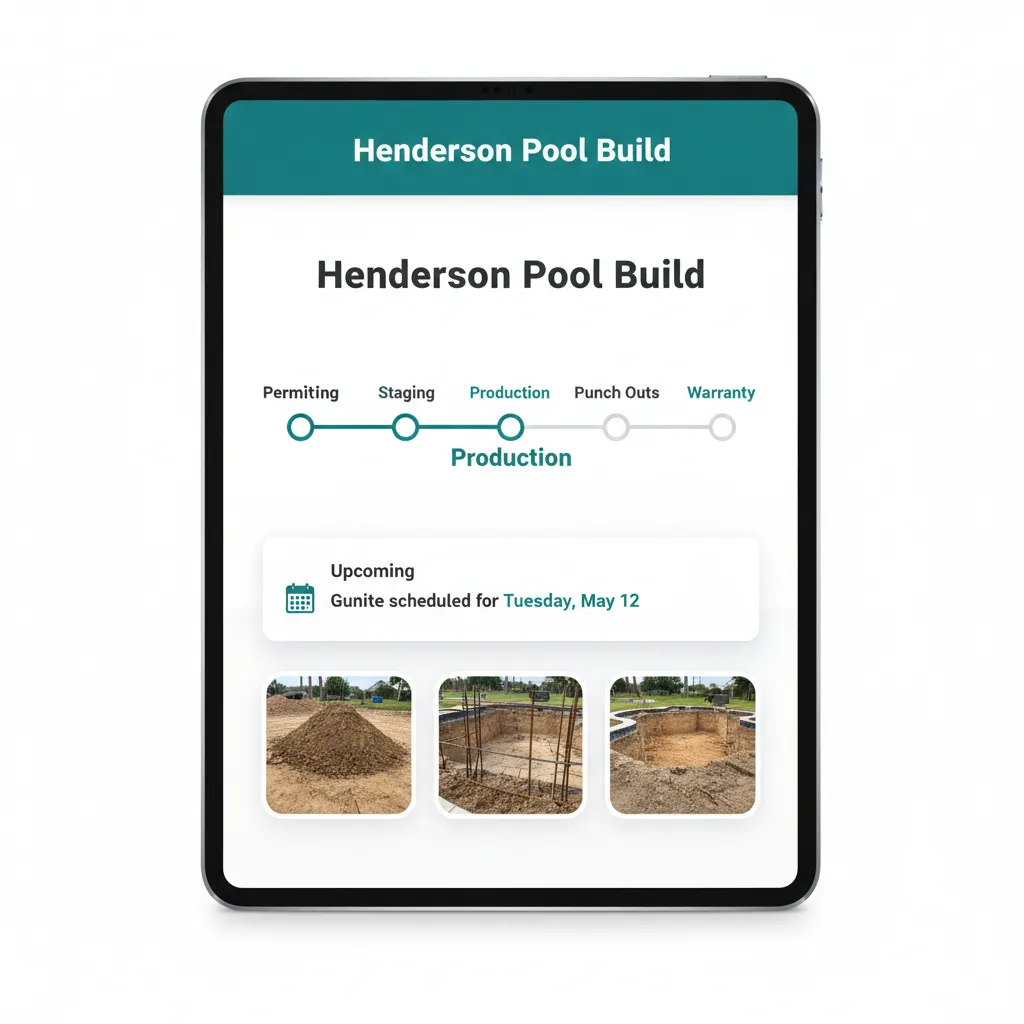
Your Customer Waits 12 Weeks for a Pool. Silence Is What Loses the Referral.
They signed in March. Dig was April. Then nothing for two weeks. They called the office on a Tuesday and the front desk said 'I will have your PM call you back.' The callback came at 5:47 PM with 'we are waiting on the gunite crew, should be next Monday.' Monday came. Nothing. Tuesday they called again. By June the review starts forming in their head. A customer portal for construction companies is supposed to prevent exactly this scene, and most of them do not.
Now name the operational problem. Your PM has 20 active projects. Every "when are you coming?" call costs her 12 minutes, pulling up the project, calling the sub, calling the customer back. Twelve minutes times 30 calls a week is six hours of PM time a week, every week, that goes to status updates instead of actual project work. Multiply by the customers who do not call but talk to their neighbor anyway. Construction customer communication software has to do this work for her, or it fails.
The customer who never gets a call is the customer who never refers their cousin. Silence is the cheapest mistake in construction, and the most expensive.
The customer who got a text the morning of dig is the customer who texts their neighbor the day the pool fills.
Communication That Runs Without the PM Writing the Text.
WFP gives customers proactive, professional updates without adding work to your PM's day. Five connected layers handle it: automated SMS phase updates, a configurable customer portal, portal activity tracking, messaging wizards for one-off updates, and shared project context so any team member can answer a customer call in seconds.
Automated SMS Phase Updates
When a project advances from one phase to the next, the customer gets a text. Configurable frequency, configurable templates. 'Your dig is scheduled for Wednesday at 8 AM' goes out the moment the work order is created, not the day after the customer asks. SMS updates construction customers actually read because the messages land on the phone they already use.
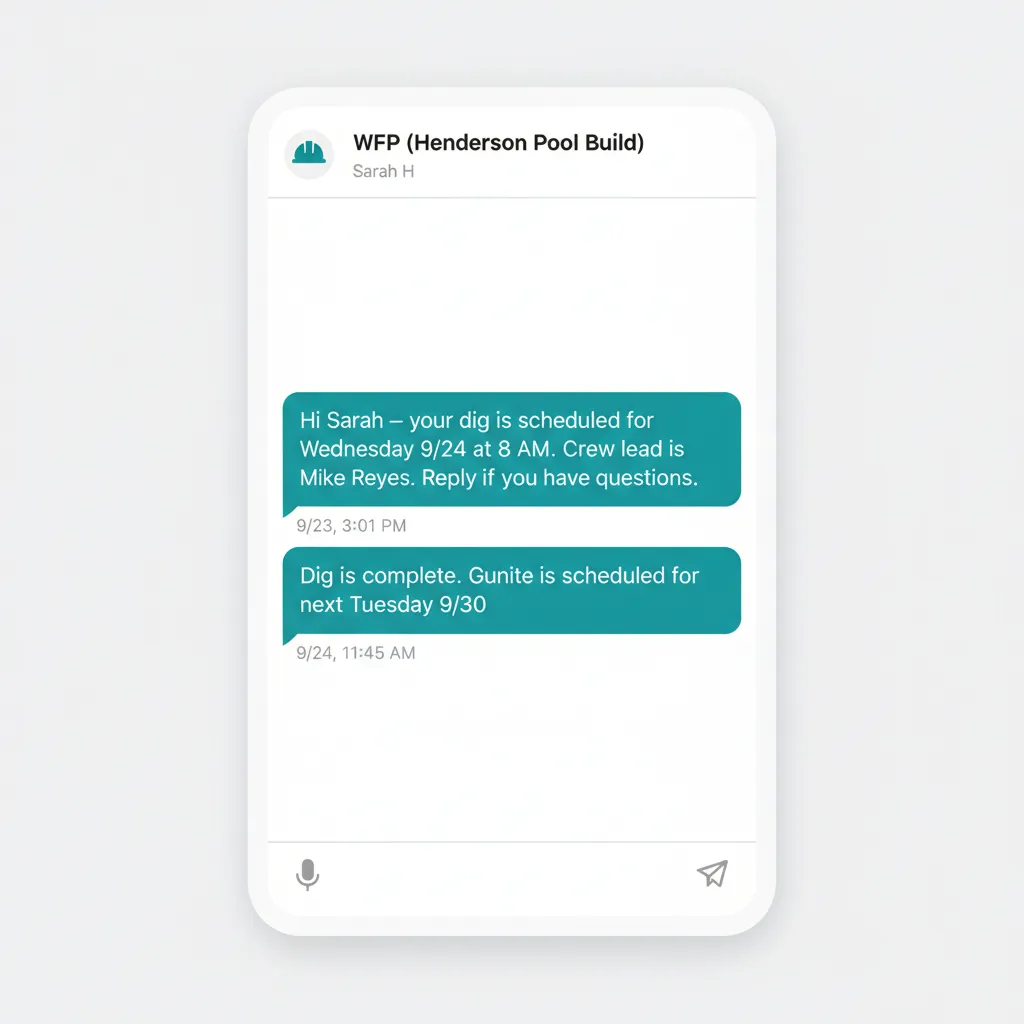
The text goes out before they have a chance to wonder.
Customer Portal with Project Visibility
A clean web view where the customer sees what they should: current phase, upcoming milestones, scheduled inspection, photos when uploaded. Configurable visibility means internal notes, sub assignments, and financials stay where they belong. Construction client portal software lives or dies on this contrast, and WFP's is built around what a customer waiting 12 weeks actually needs to feel calm.
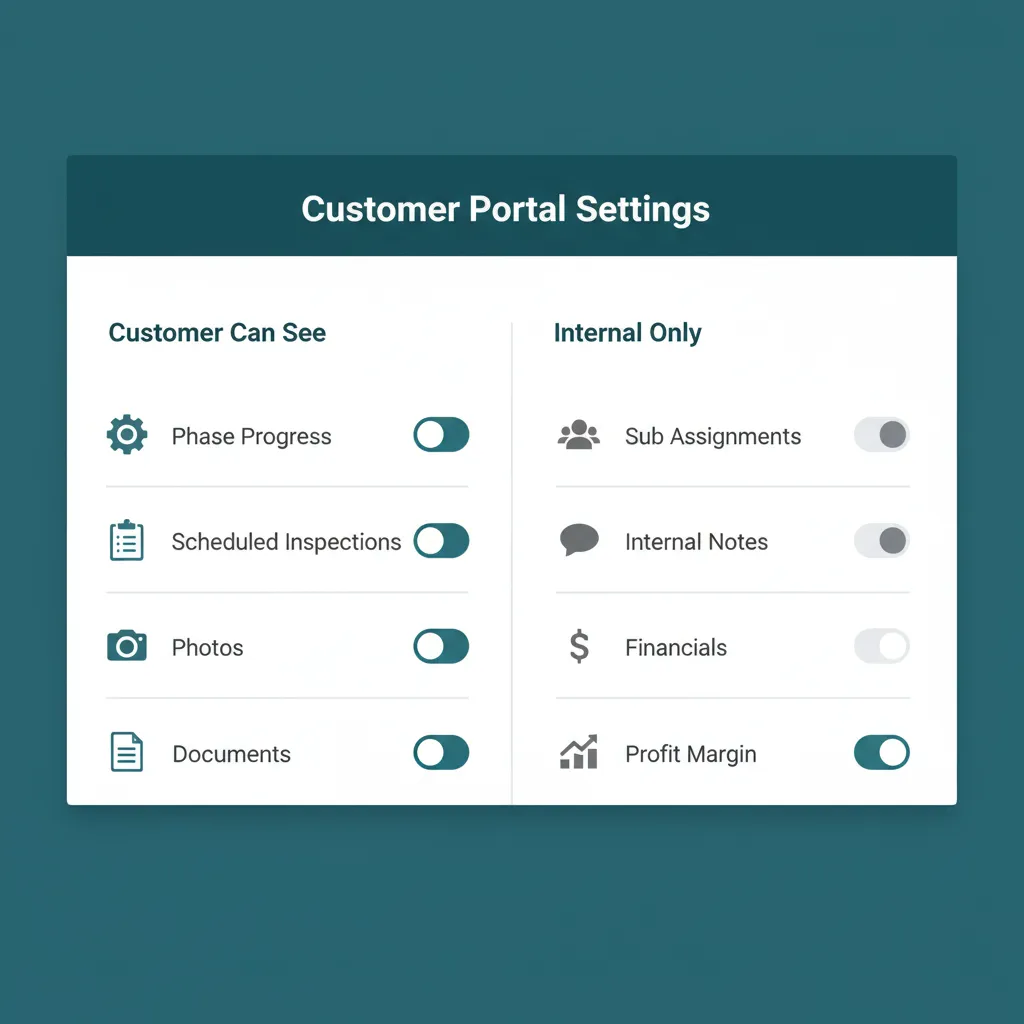
You decide what the customer sees. The portal does the rest.
Portal Activity Tracking
WFP shows you which customers have logged in, which have not, and which are checking in daily, a soft signal of who is anxious and might need a proactive call. Automated construction project updates handle 90 percent of the communication, and the activity log helps your PM target the 10 percent who need a personal touch.
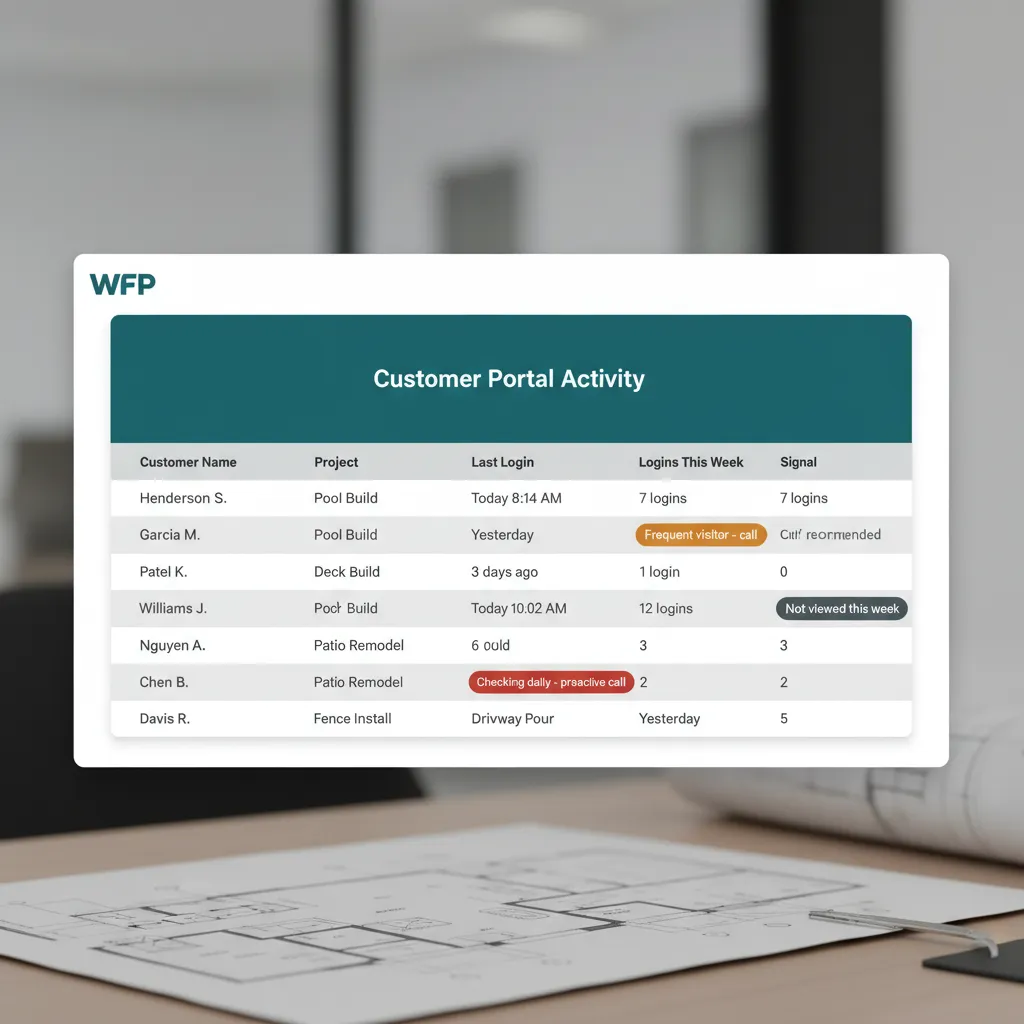
The customers checking in every morning are the ones to call first.
Messaging Wizards
When the gunite crew slips a day, the PM does not type 'we are delayed by one day' 30 times. The wizard pre-fills the message with the project name, the phase, and the new date. One click, sent to the right customers. The PM saves the time, the message stays professional.
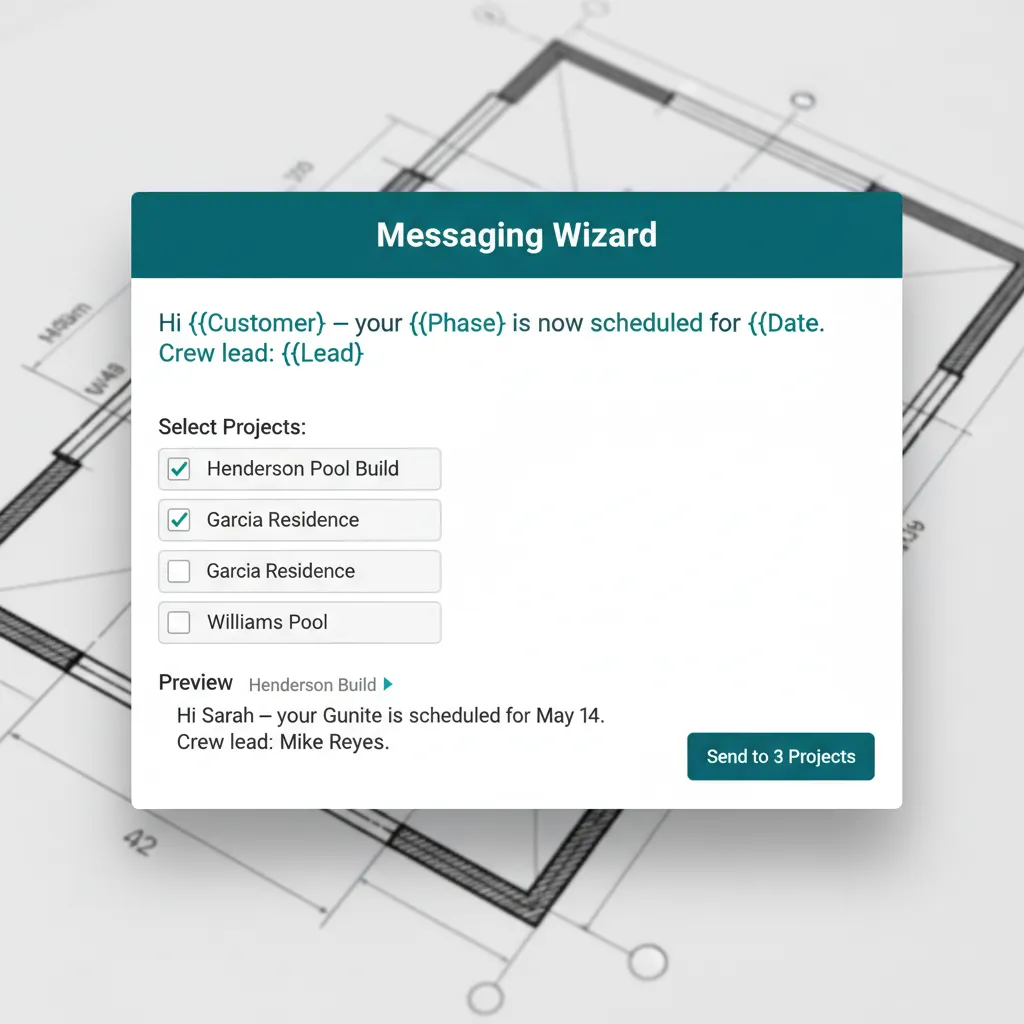
The same update, sent to four projects, in one click.
Shared Project Context for Anyone Who Answers
The front desk picks up. The customer says 'this is the Patel project, when is gunite?' The receptionist clicks the project name, sees the phase, sees the scheduled gunite date, and answers in real time. No callback. No 'let me track down the PM.' Anyone who answers the office phone can answer the customer.
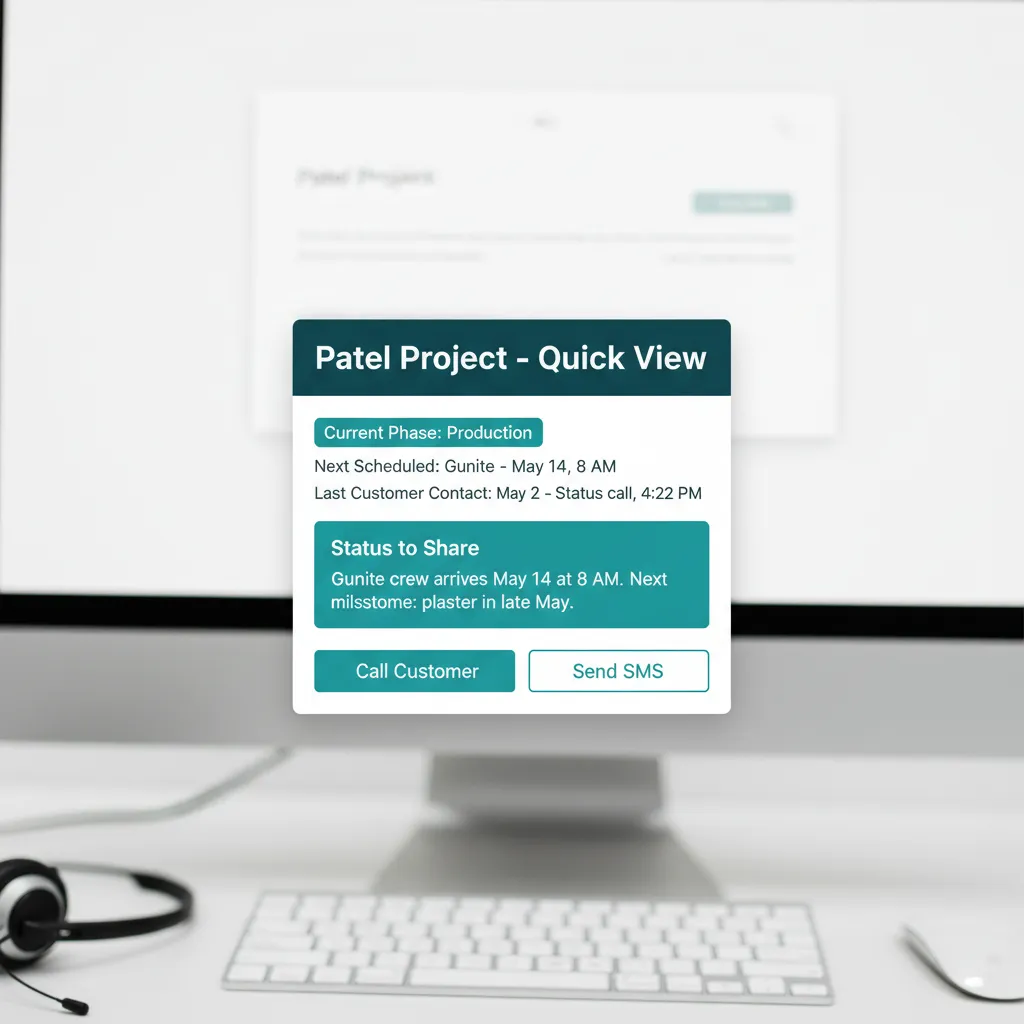
Anyone at the front desk becomes the PM, in two clicks.
WHAT GENERIC PM TOOLS CAN'T DO
Most Platforms Bolt Communication On. WFP Built It as a Referral Engine.
Generic PM tools have a customer portal. They have client access. They have comments. None of them treat customer communication as the system that builds your reputation. WFP does. The SMS goes to the phone the customer actually answers. The portal shows only what should be visible. The messaging wizards make it impossible for a PM to forget to send the update. Communication stops being something you have to remember and starts being something the system handles for you.
A pool builder lives or dies on referrals. The customer who got a text the morning of dig is the customer who texts their neighbor the day the pool fills. The customer who heard nothing for two weeks is the customer who writes a review about it. WFP turns the second customer into the first.
Why we built this
Built around how a customer actually wants to be communicated with. Not around what is convenient for the platform vendor.
BATTLE-TESTED
Five-Star Reviews Became the Norm.
Inside the construction company that built WFP, five-star reviews stopped being celebrated and started being expected. Customers who used to call asking 'when are you coming?' started calling to thank the PM for the heads-up. The referral pipeline filled itself.
Common Questions About Customer Communication
Yes. The customer portal shows current phase, upcoming milestones, scheduled inspections, and photos as they are uploaded. What customers see is configurable per project type; internal notes, sub assignments, and financials stay private.
Yes. SMS goes out automatically when a project advances phases or hits a configurable trigger. Frequency and templates are configurable per project type. PMs can also send one-off updates through messaging wizards in two clicks.
Yes. Configurable visibility per project type. Customers see phase progress, scheduled inspections, and photos. They do not see sub assignments, internal notes, profit margin, or anything you choose to keep internal.
No. The portal is web-based and the SMS goes to their existing phone number. No app, no login friction, no "I forgot my password" calls to your front desk on a Saturday.
The PM uses a messaging wizard. The template pre-fills with project name, phase, and the new date. One click, sent. The customer hears about the delay before they call asking about it, which is the difference between 'they kept me in the loop' and 'they ghosted me.'
Customers who feel informed leave five-star reviews. Customers who leave five-star reviews refer their neighbors. WFP makes proactive communication automatic, which makes the referral cycle automatic too.
Related Features
Project Management
One dashboard. Every project. Every phase. Every stalled job.
Warranty Management
Turn warranty management from a post-sales headache into a referral engine.
CRM & Lead Management
Pipeline tracking, appointment scheduling, and quote visibility from first contact to signed contract.
See Customer Communication in Action.
We will show you the customer portal, walk through an SMS phase update, and run a messaging wizard live. Bring a real customer scenario.
Schedule a DemoNo 6-month onboarding commitment. No per-seat pricing. Just a conversation about how your operation could run.