You Have 40 Active Projects. Three Are Stalled. Two Permits Expire This Month. Where Do You Start?
WFP shows you every project, every phase, and every stalled job on one screen. Without you having to call anyone.
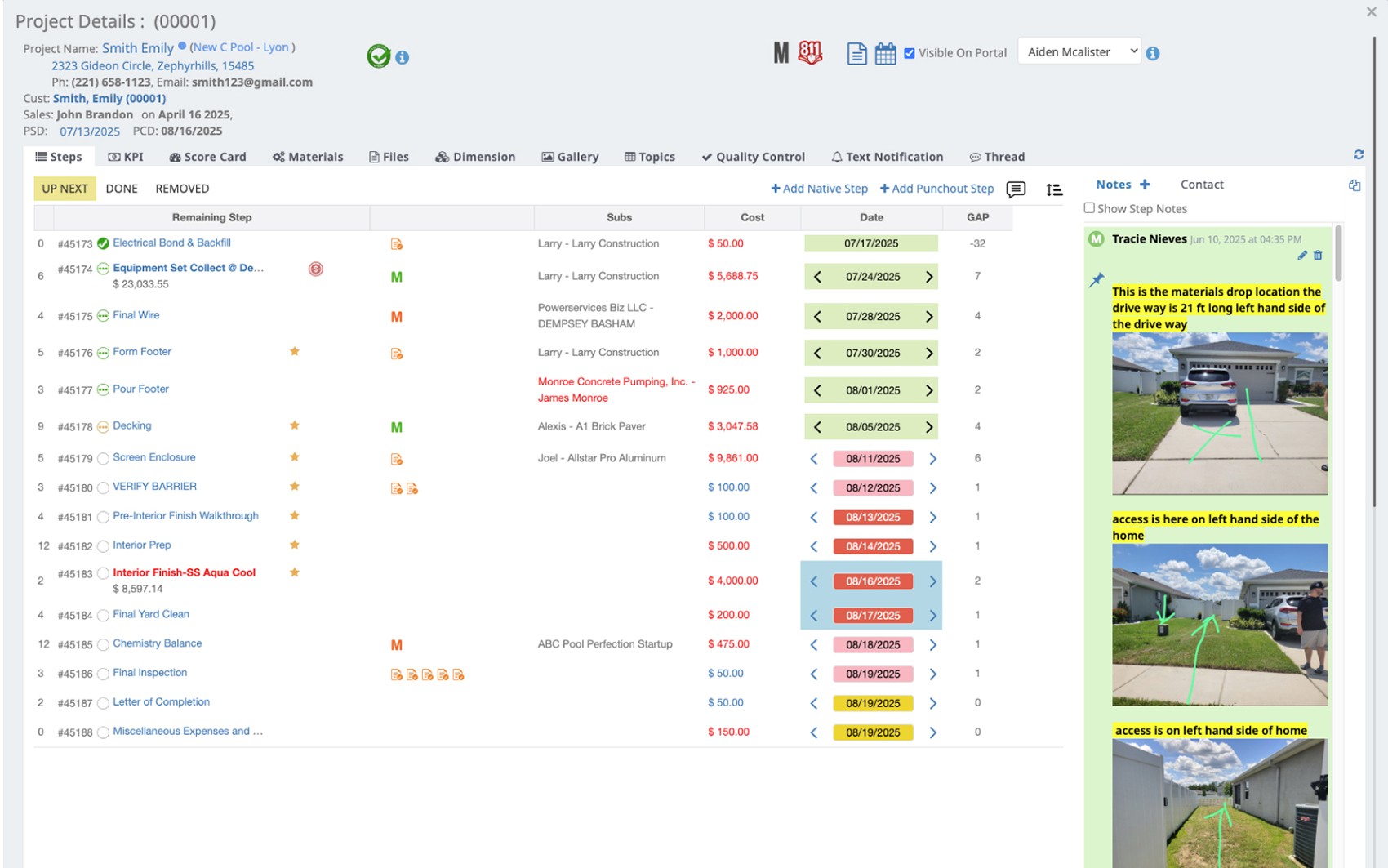
Your Spreadsheet Stopped Working at 15 Projects. You Are at 40.
It is Tuesday morning. A permit slipped past expiration in Pasco County. A sub showed up uninsured. A customer called wanting an update, and whoever answered the phone had to track down a PM and call back. The construction project management software you have right now is a spreadsheet, three group chats, and the PM with the best memory. It worked at 15 projects. It is failing at 40.
You can hold about seven projects in your head at one time. You are running 40. The system holding your business together is one person's brain, and that person is not sleeping. Construction project tracking at this volume is no longer a productivity problem. It is a cognitive load problem.
When the system holding your business together is one person's brain, you can never take a vacation, and you can never grow.
A System That Thinks in Construction Phases
WFP was built around how construction projects actually move: from permitting through punch outs and into warranty. Every project flows through phases automatically. The dashboard tells you which jobs are stuck. The work happens in one place.
Phase-Based Lifecycle
Permitting, Staging, Production, Punch Outs, Warranty. Configurable per project type so pools, roofing, HVAC, and outdoor kitchens each get the right phase sequence. Phase-based project management that actually maps how the build moves, not a generic Kanban board with construction labels.
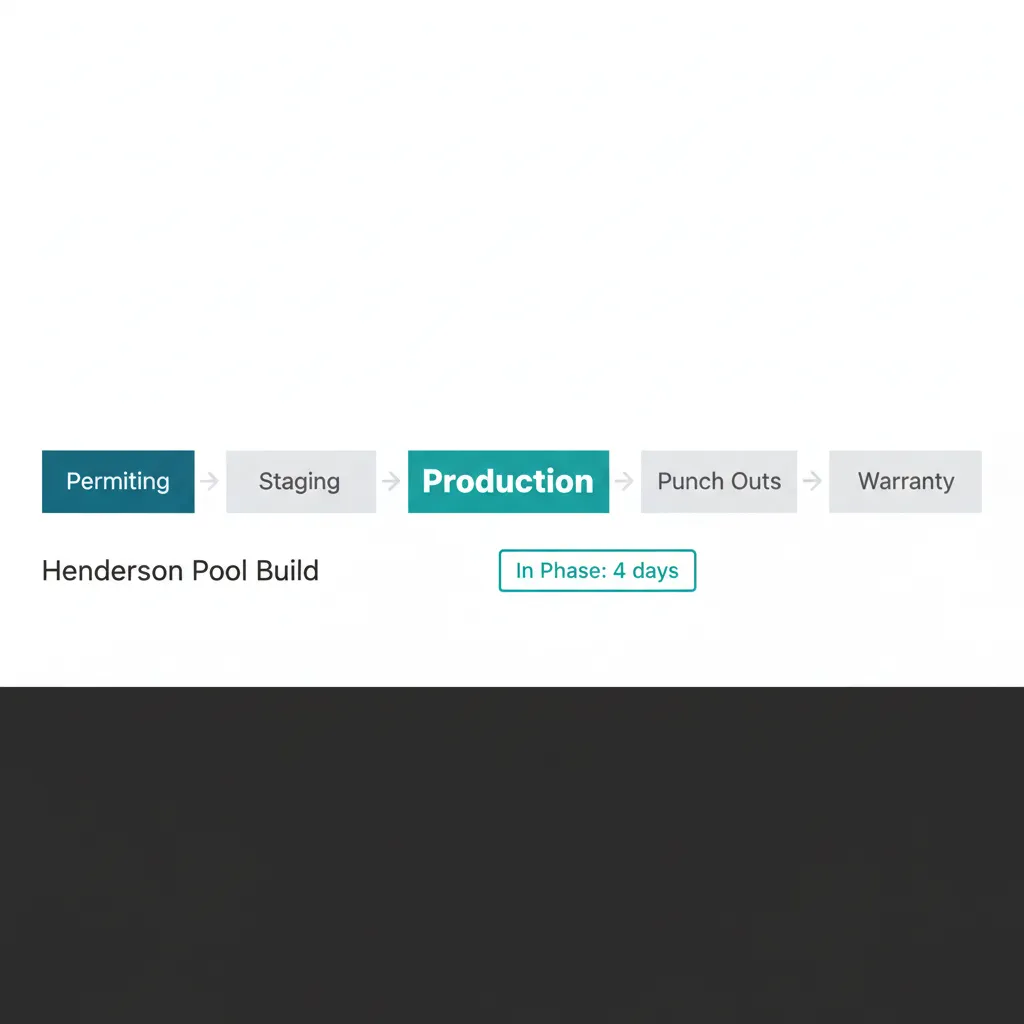
Five phases. One project. The pipeline tells you where the job is at a glance.
Automatic Phase Transitions
Projects advance based on completion triggers. Your PM does not have to remember to move a job. When the staging step closes, production opens. Automated project management for builders, not a status field someone has to flip every Friday.
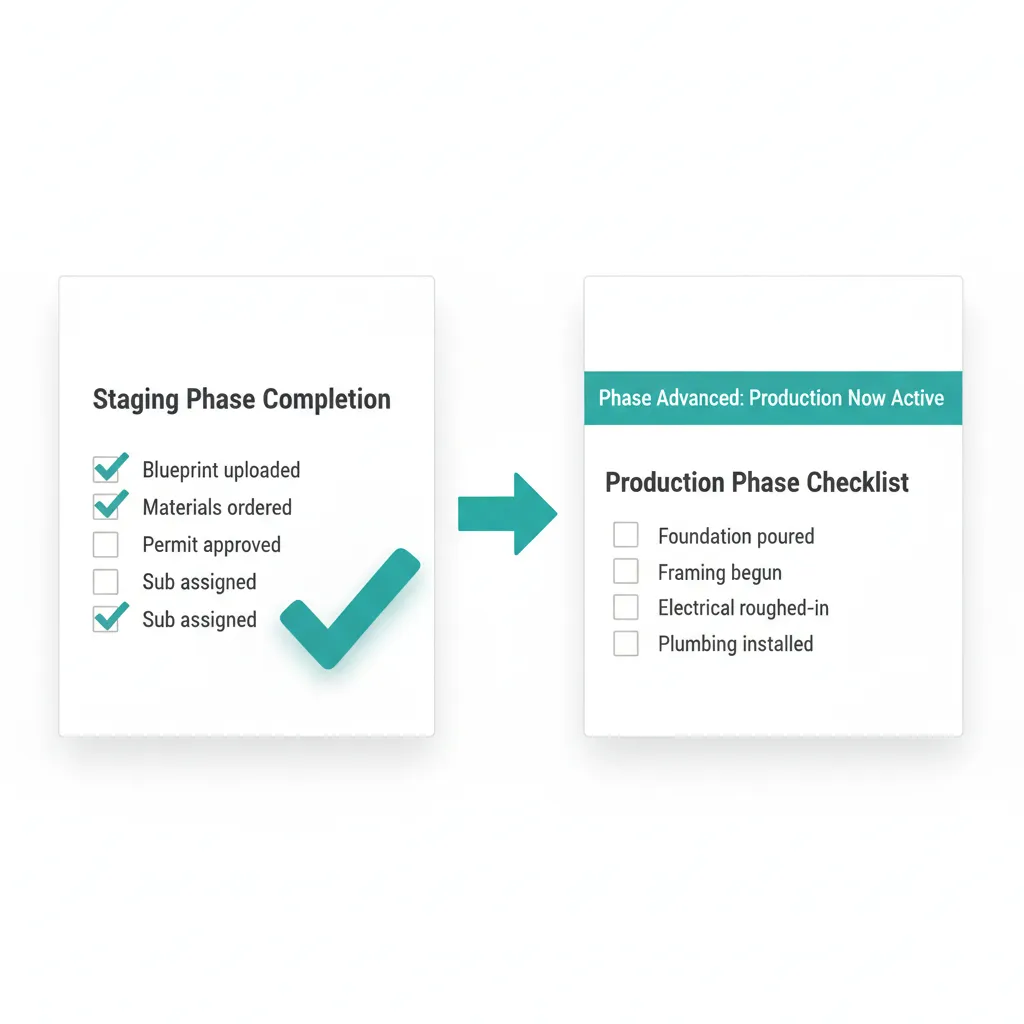
The step closes. The next phase opens. Nobody had to remember.
Attention Queue
A live list of projects that hit business-rule triggers: paused, stalled, overdue, permit expiring. This is the screen Marcus opens first every morning. Stalled jobs surface before the customer notices, and the PM walks into the production meeting already knowing which five projects need answers.
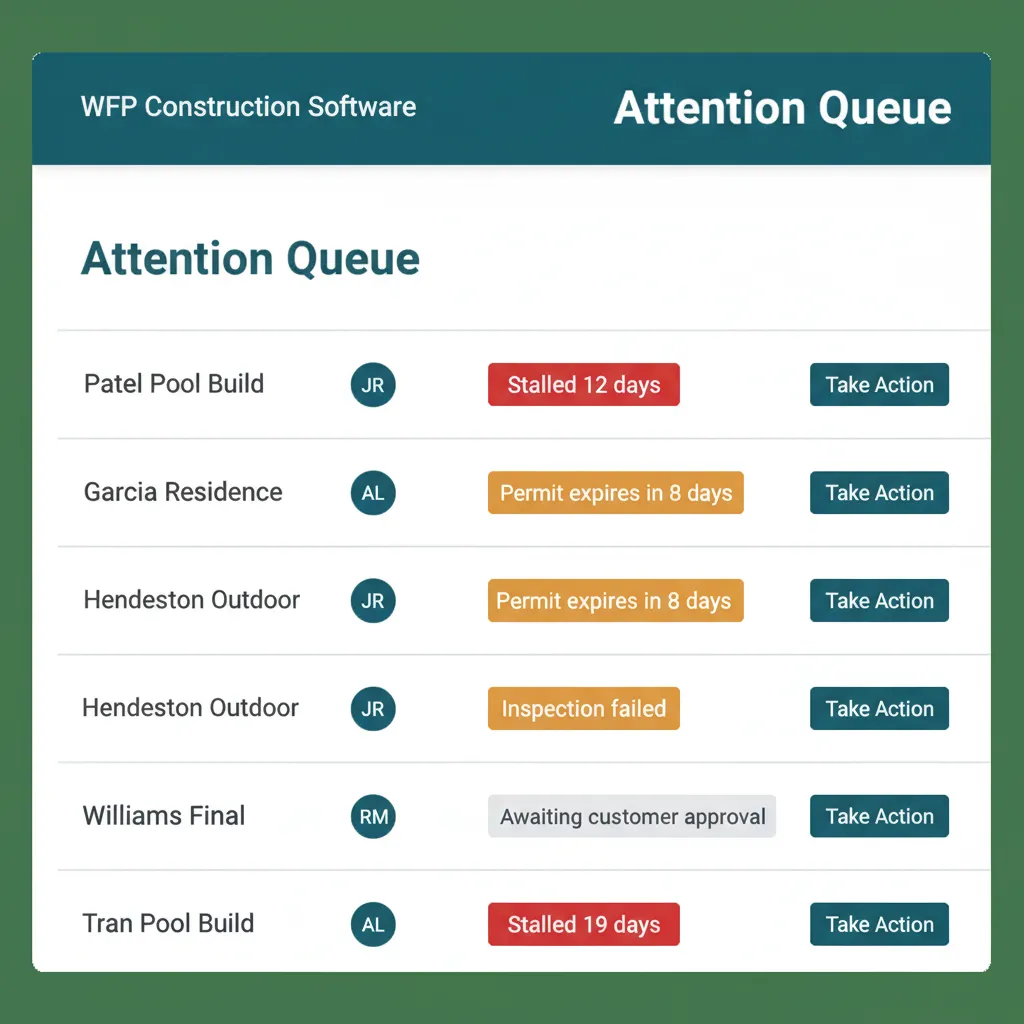
Four projects need attention. One reason each. The morning starts here.
"In Phase" Duration Tracking
Every project shows how long it has been in its current phase. A pool stuck in Staging for 17 days is impossible to miss. A roof stuck in Permitting for 30 days is louder. The construction project dashboard surfaces duration outliers without anyone running a report.
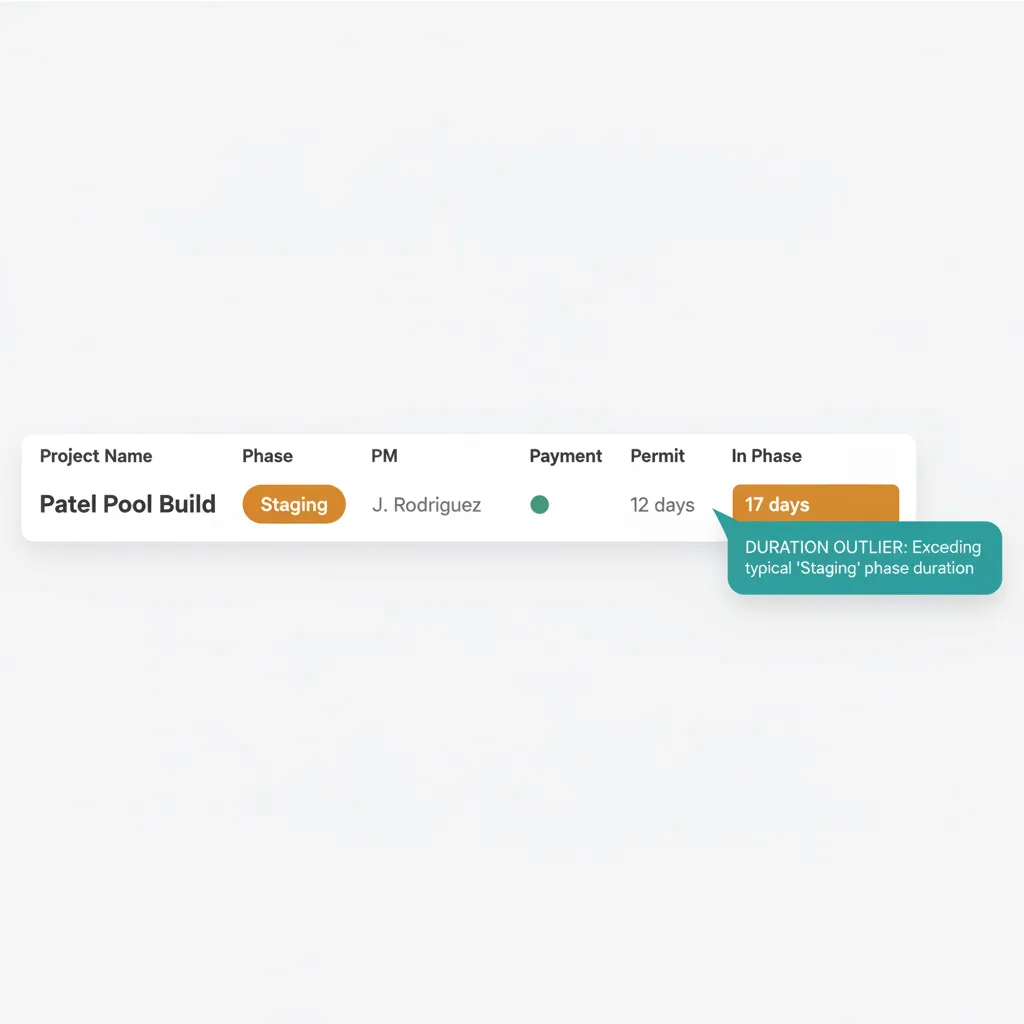
Seventeen days in Staging. The cell turned amber on day 10.
Complete Project Drill-Down
Click any project for everything: material orders, blueprints, warranty claims, communication history, financials. One screen, all the context. The PM stops keeping the project in his head because the project lives where everyone can read it.
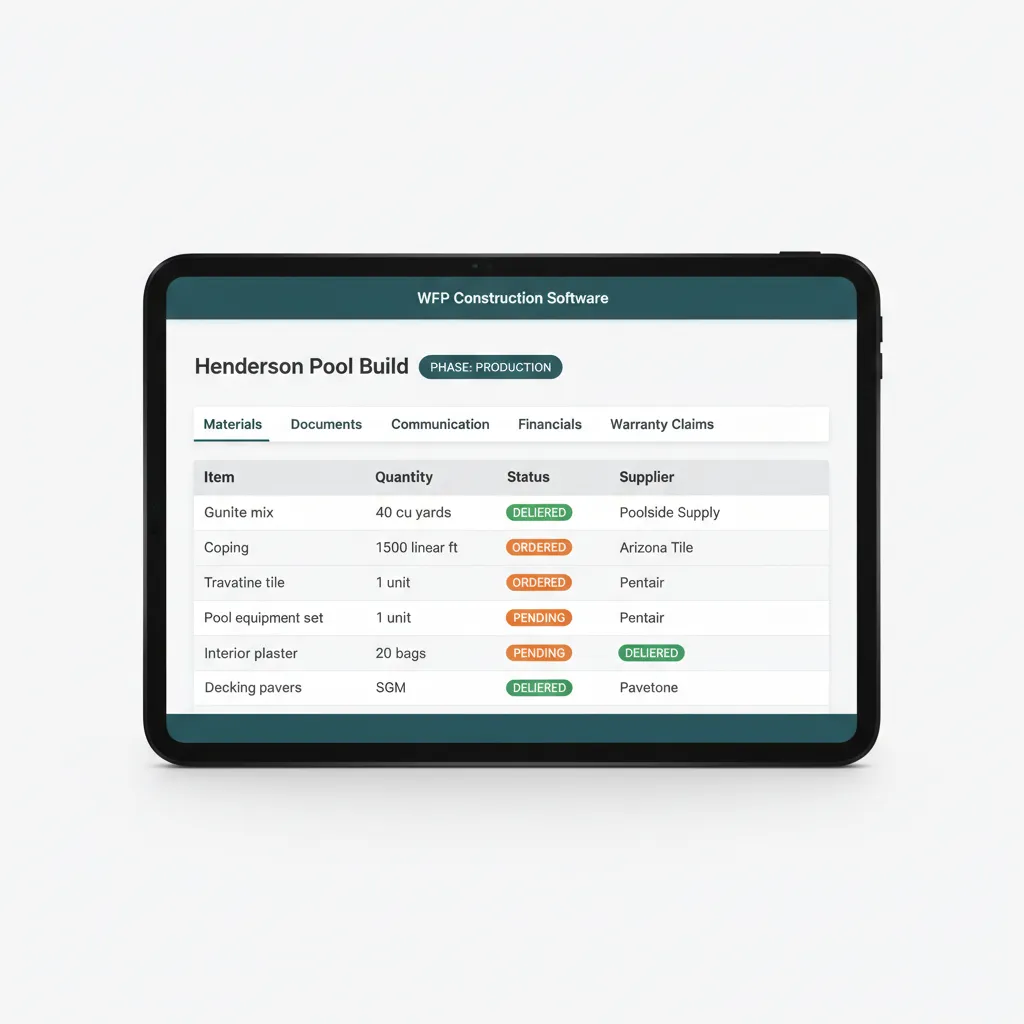
Five tabs. One project. The PM stops being the only person who knows where things are.
WHAT GENERIC PM TOOLS CAN'T DO
Construction Is Not a Kanban Board.
Most construction PM tools started as generic project management with construction features bolted on. Their data model is tasks. Yours is projects that move through real-world construction phases with permit windows, inspection holds, and subcontractor compliance gates. A task list is not a phase. A label is not a lifecycle.
Most platforms make you remember to advance a project from Staging to Production. WFP advances it for you when the trigger condition fires. Most platforms tell you what is on the schedule. WFP tells you what is stuck. For pool builders running 20+ simultaneous builds, the difference shows up in week one.
Why we built this
Built around the lifecycle of construction. Not retrofitted to look like it was.
BATTLE-TESTED
WFP was born inside a construction company that scaled from chaos to managing 60+ simultaneous builds. The dashboard you see was the dashboard that ran the business.
Common Questions About Project Management
Phase-based lifecycle versus generic project management with construction labels. WFP was built inside a construction company, designed for fast adoption, not 6 to 12 months of onboarding. Projects advance automatically when triggers fire instead of waiting for someone to flip a status field.
Yes. Pools, roofing, HVAC, outdoor kitchens, fencing, and general construction all run side by side with configurable phases per project type. A pool company that also builds outdoor kitchens does not need two systems. One instance, two phase sequences.
Days, not months. The user research line we hear most is "Very intuitive to just jump into it and figure things out fairly quickly just by poking around." Onboarding is a structured ramp of three to five days, not a six-to-twelve-month implementation.
Yes. Automatic phase transitions fire when completion triggers are met. PMs do not manually advance jobs from Staging to Production. The construction project management software does the moving so the PM does the work that actually needs a human.
Yes. A single dashboard shows every project, phase, PM, territory, payment status, permit status, and inspection schedule. Drill into any row for full project detail. The morning question of where every job stands becomes a 60-second scan, not a phone tree.
It surfaces projects that are paused, stalled, overdue, or have expiring permits. Each row carries a reason badge so the PM and the owner walk into Monday already knowing what needs answers. It is the first screen Marcus opens every morning.
Related Features
See Project Management in Action.
Your projects, your phases, your dashboard. Bring a few real jobs and we will show you exactly what your morning looks like with WFP.
Schedule a DemoNo 6-month onboarding commitment. No per-seat pricing. Just a conversation about how your operation could run.