Your Sub Showed Up Without the Plans. Again.
WFP gets the blueprint, the engineering specs, and the work order to the sub's phone in one tap. No login, no app, no "I'll check when I get back."
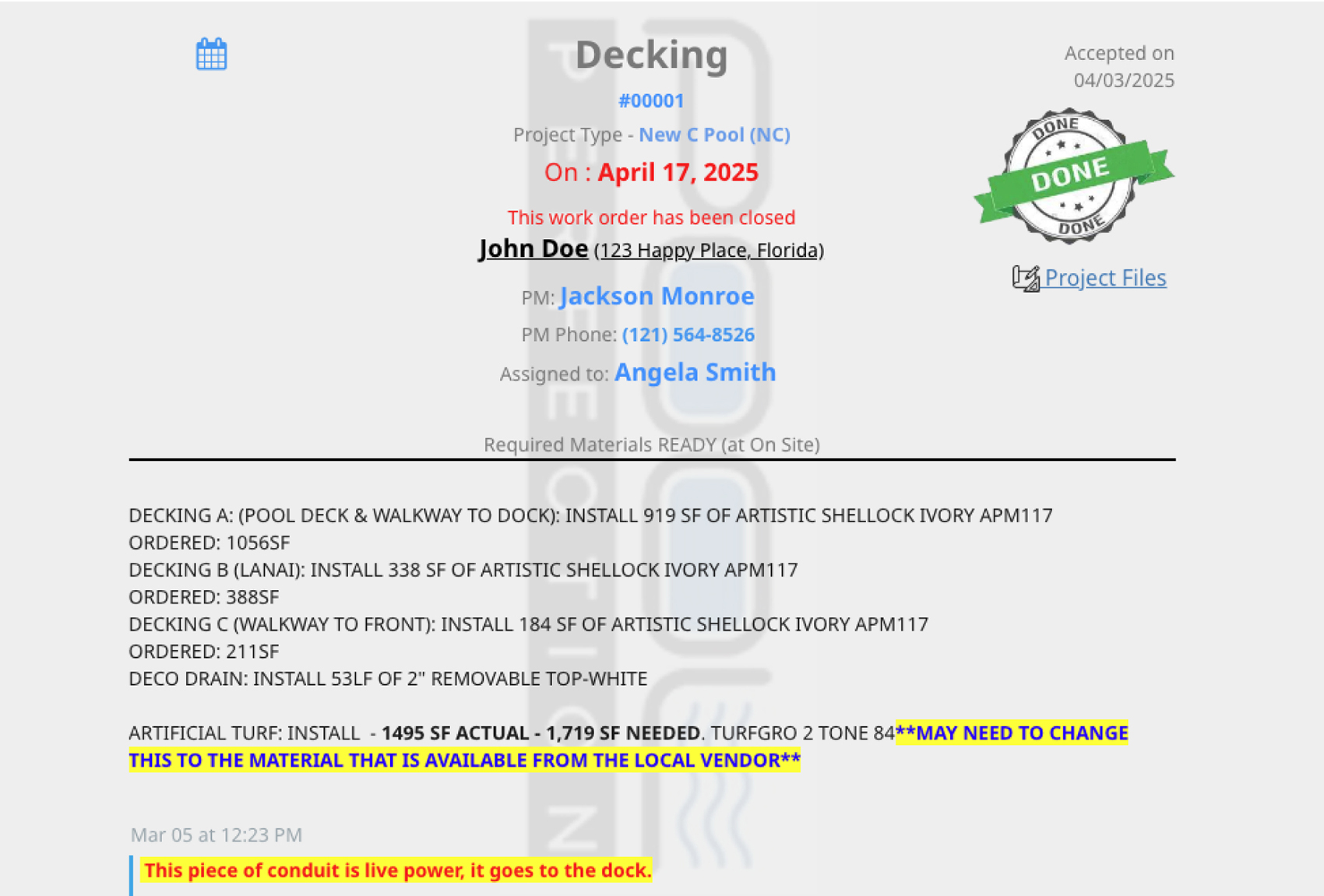
Print, Text, Pray. That Is Not a Work Order System.
Jessica creates the gunite work order at 7:14 AM. Prints the engineering specs at 7:16. Screenshots the depth callout because the print quality is poor. Texts the sub the address, the date, and the screenshot at 7:22. The sub texts back "k, see you Wed." Wednesday at 9:40 the sub calls from the site: "the depth callout on the screenshot is blurry, can you send it again?" Jessica is in the office. The plan is on her desk. She drives over. This is what work order management construction operations look like without a system that knows what a sub actually needs in their hand.
Subs do not open desktop apps. They open texts. A work order system that requires the sub to log in, navigate to a project, and download a PDF is a system that does not get used. The print-text-pray workflow exists because every other solution is more friction than the workaround. Subcontractor work orders that require a portal login on a phone get ignored every Tuesday morning when the truck pulls up at 7 AM.
When the sub does not have the right document on their phone before they show up, the day is already lost, and so is the next day, because now the schedule slips.
Everything the Sub Needs to Show Up Ready. Sent in the Text They Already Got.
WFP collapses the work order stack into something subs actually use. Five connected pieces handle it: create-and-assign per project step, embedded documents on the work order itself, one-click send via text or email, sub-items and notes per work order, and completion tracking that closes the loop.
Create and Assign Per Project Step
Every project step (dig, gunite, plumbing rough-in, electrical, decking, final cleanup) gets its own work order. Configurable templates per project type pre-fill the sub-items so Jessica is not retyping "verify depth at deep end" 30 times a season. Construction work order software at WFP starts where the work actually starts, the project step.
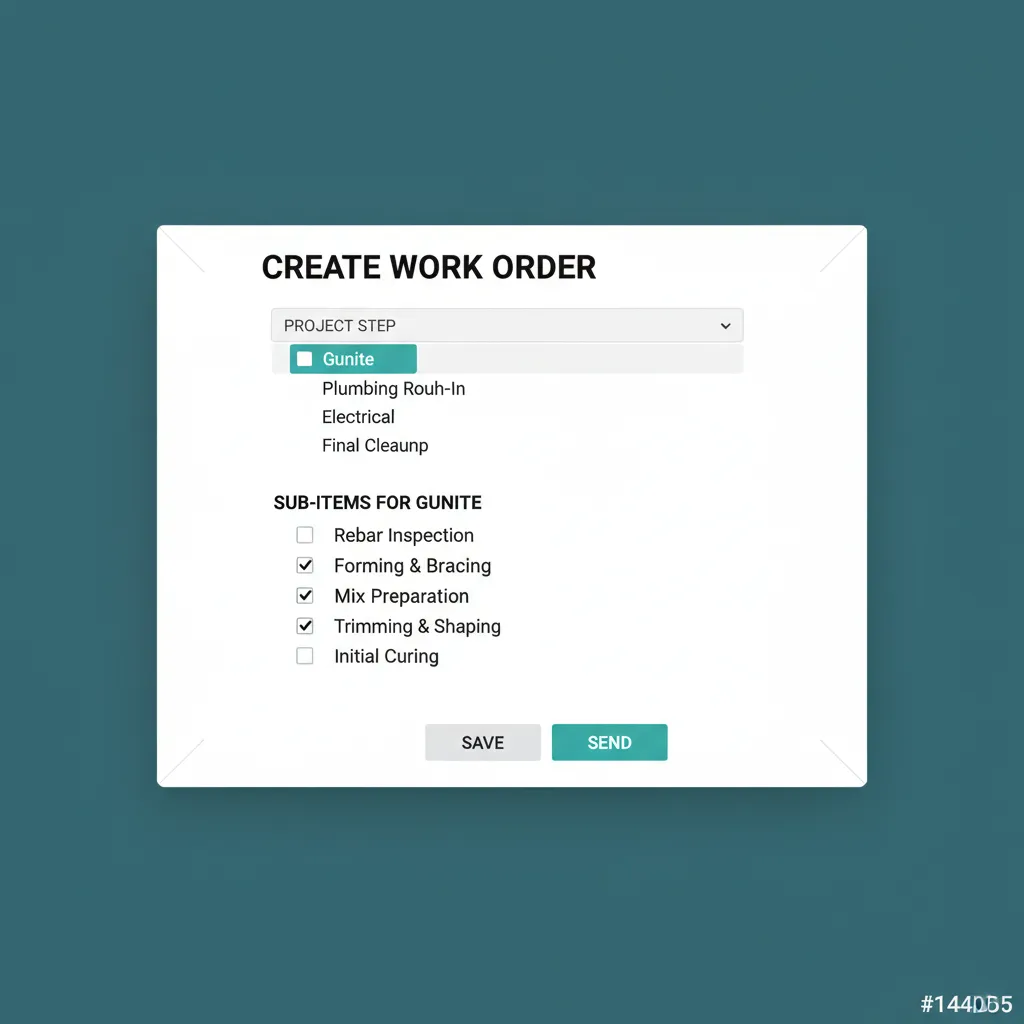
Templates per project type. Stop retyping the same checklist.
Embedded Documents
Blueprints, engineering plans, manufacturer specs, permit references, all attached directly to the work order. No "I'll send the plan separately." When the work order goes out, the documents go with it. Digital work orders construction subs will actually use are the ones that arrive complete.
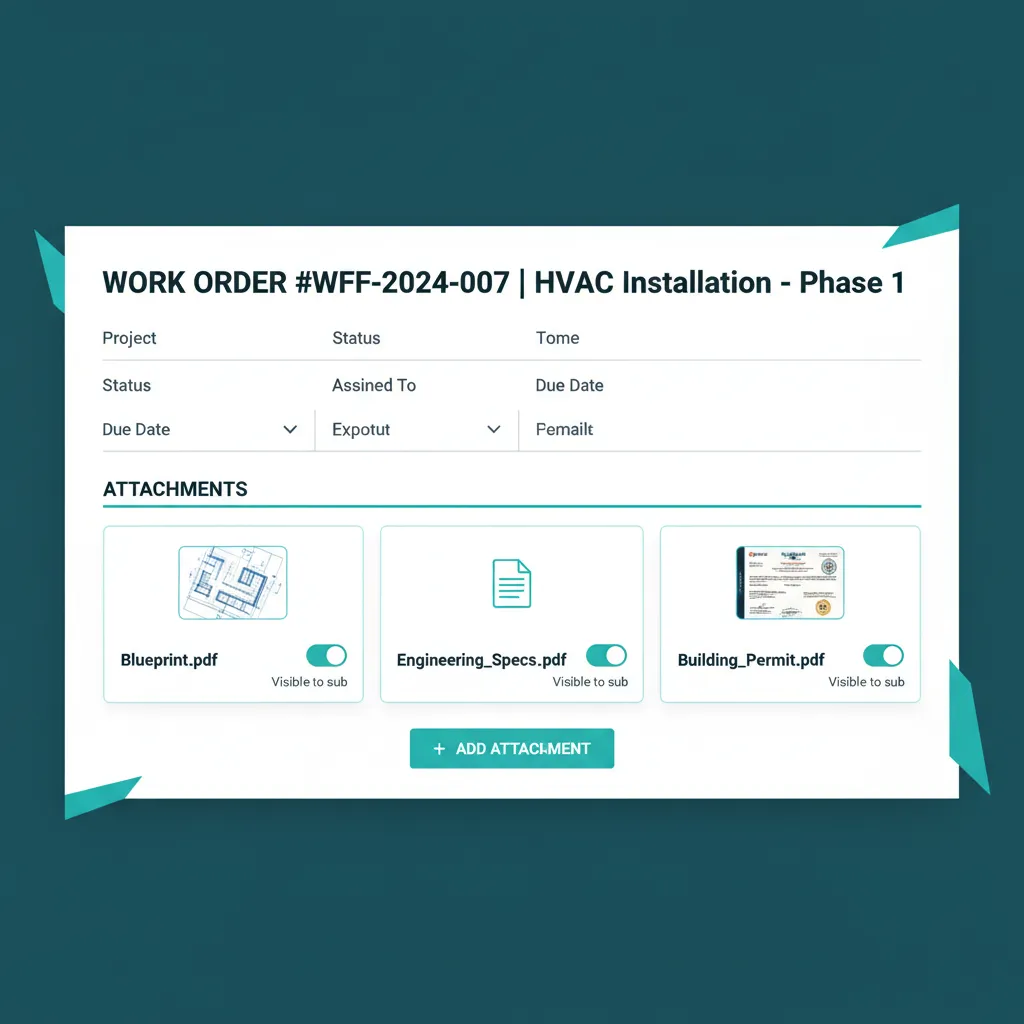
Documents attached to the work order, not separate from it.
One-Click Send via Text or Email
Jessica clicks Send to sub. WFP generates a text or email with the project address, the date, the sub-items, the notes, and a link to the embedded documents. The sub taps the link, the plans open in their phone's PDF viewer. No app required, no login, no app store install for a construction work order app the sub will never download anyway.
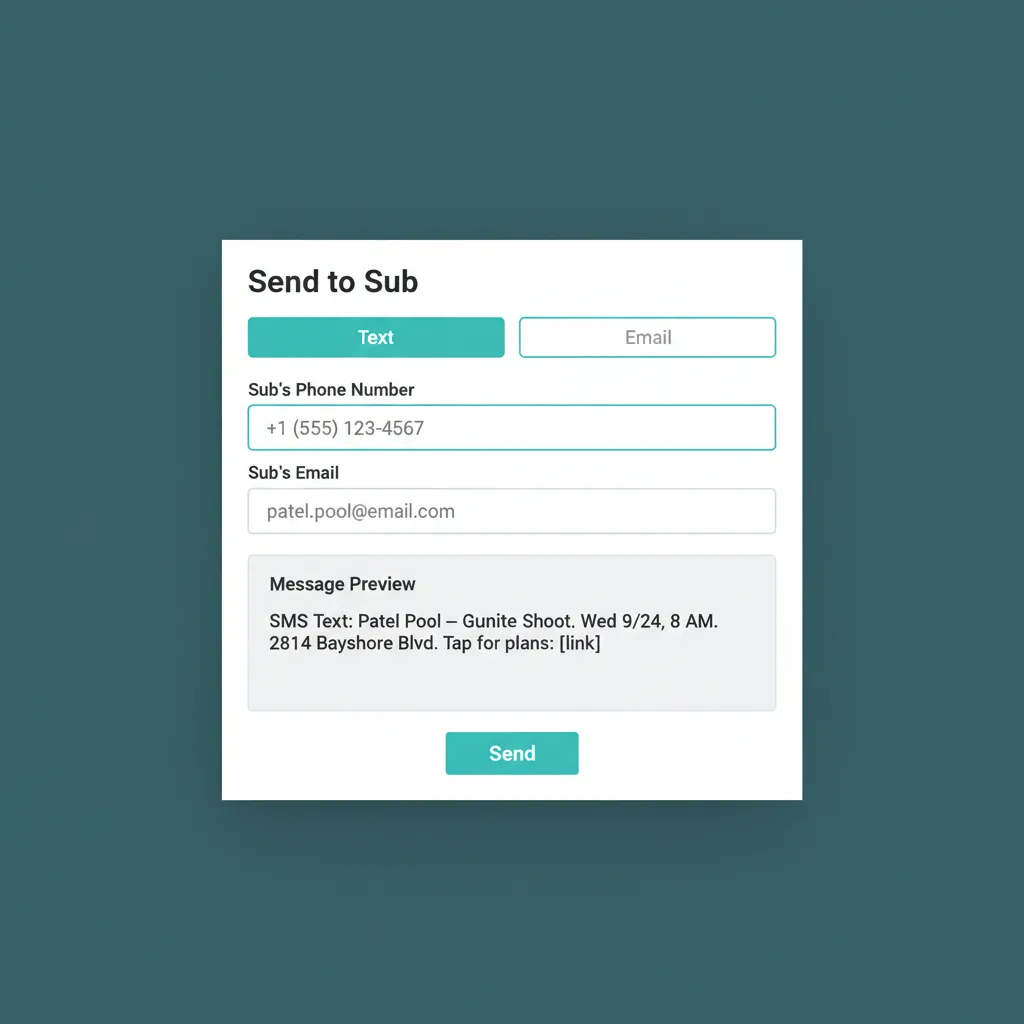
The text the sub gets. The link they tap.
Sub-Items and Notes
Every work order is a structured checklist, not a paragraph of prose. Sub-items are checkable in the field. Notes are timestamped. The day's work has a shape the sub can follow without guessing what "complete" means.
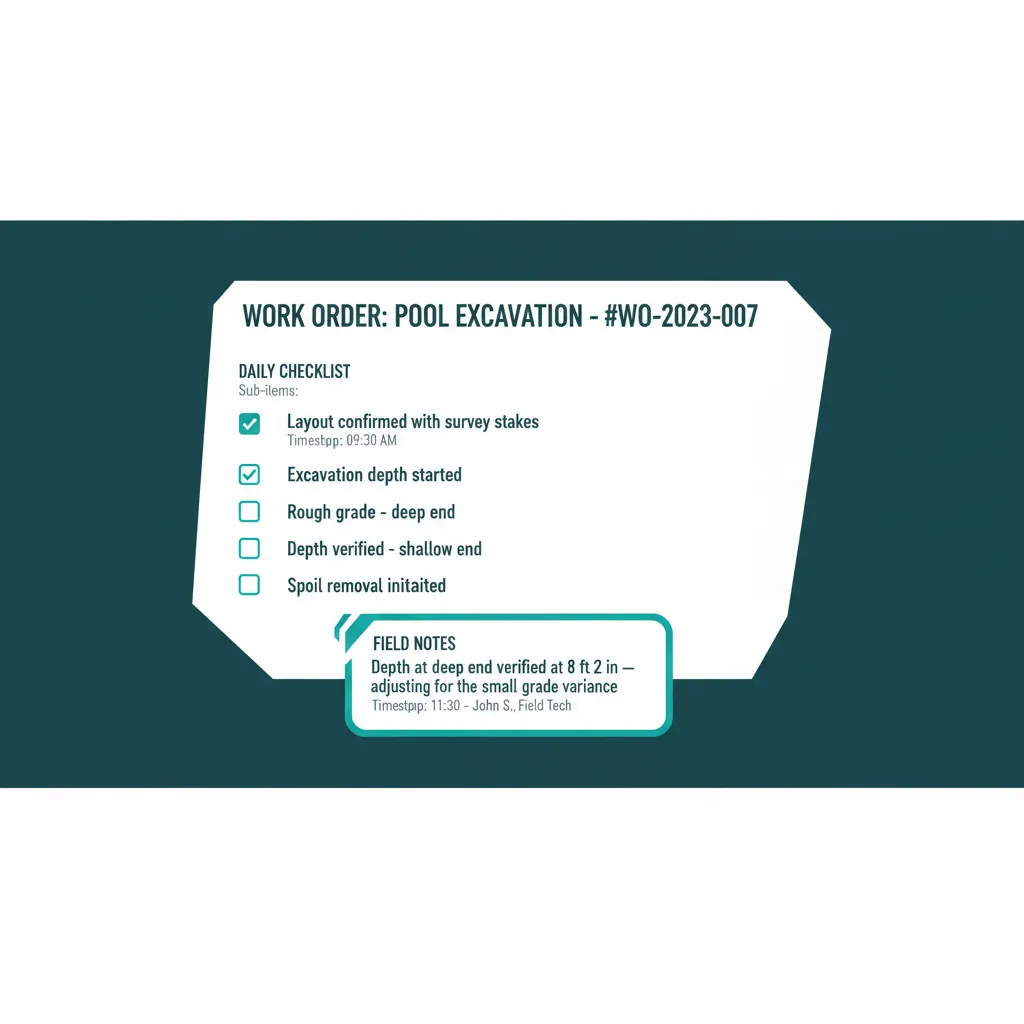
A checklist, not a paragraph. A shape, not a guess.
Completion Tracking
When the sub marks the work order complete (one tap on the link they already opened), WFP records the time, captures any notes the sub added, and signals the project to advance. Jessica does not have to call to confirm. The phase moves automatically when the trigger fires.
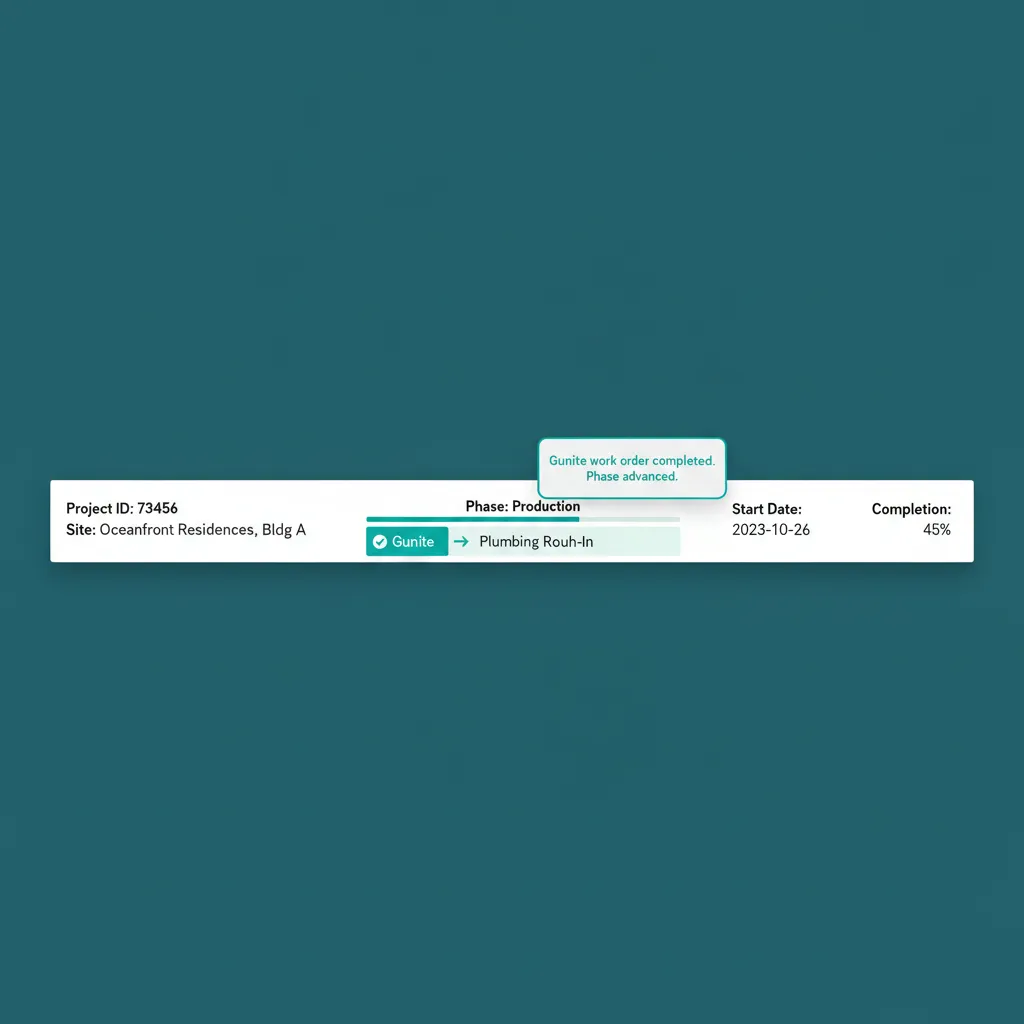
Marked complete. Phase advances. PM keeps moving.
WHAT GENERIC PM TOOLS CAN'T DO
Subs Don't Open Desktop Apps. They Open Texts.
Buildertrend has a subcontractor portal that requires login. Procore has a sub login experience aimed at large GC programs. JobTread has work orders that live inside the platform. None of them solve the actual field problem: the sub is in a truck, with one hand on a coffee, opening the message that has the address. The platform that puts the blueprint inside that message wins. The platform that asks the sub to download an app and remember a password loses.
Most platforms send the work order without the documents and rely on the sub to go log in and download the plan. WFP embeds the documents in the work order itself, generates a link the sub taps once, and shows the plan in the phone's PDF viewer with no friction. Subs notice. The well-organized builder gets the favored slot on the sub's calendar. The print-text-pray builder gets bumped.
Why we built this
Built around how subs actually work in the field. Not around how a software vendor wishes they would.
BATTLE-TESTED
Subs Started Asking to Work With Us First.
Subcontractors began favoring the company that built WFP over less organized builders. The gunite crew that had three options for Wednesday started picking the WFP-powered job because the plans were already on their phone. The favored slot on a busy sub's calendar is worth more than the price of any platform.
Common Questions About Work Orders
Yes. The work order goes out as a text or email with a link the sub taps. The link opens in the phone's browser. No login, no app install, no password to remember. The blueprint and specs open in the phone's PDF viewer.
Yes. Blueprints, engineering plans, manufacturer specs, permit references, and any other PDF or image attach directly to the work order. When the work order is sent, the documents go with it.
When the sub marks the work order complete from the same link they already opened, WFP records the timestamp, captures any field notes, and signals the project to advance. The PM sees the completion in the dashboard without making a confirmation call. Work order management construction operations rely on, automated.
No. WFP delivers the work order via SMS or email with a tappable link. The sub uses their existing phone, no app, no login, no app store install. The link opens in the browser the sub already has open all day.
Yes, work orders can be assigned to a single sub, a primary plus alternates, or a crew. The send action delivers the work order to everyone selected, with delivery tracking per recipient.
The compliance gate from Subcontractor Compliance fires at assignment time. If the sub's COI or workers' comp is expired, the assignment is blocked with a compliance-hold message. The PM either resolves the document or picks a compliant alternate. The work order cannot be sent until the gate clears.
Related Features
See Work Orders in Action.
Bring a real work order you sent this week, we will recreate it in WFP, embed the plans, and show you what your sub's phone screen looks like when they open the message.
Schedule a DemoNo 6-month onboarding commitment. No per-seat pricing. Just a conversation about how your operation could run.