Your Senior PM Just Gave Notice. Where Are the SOPs She Wrote in Her Head Three Years Ago?
WFP Resource Center is a company-wide knowledge base for every SOP, training video, manufacturer manual, and template your team uses. So when someone leaves, the company knowledge stays.
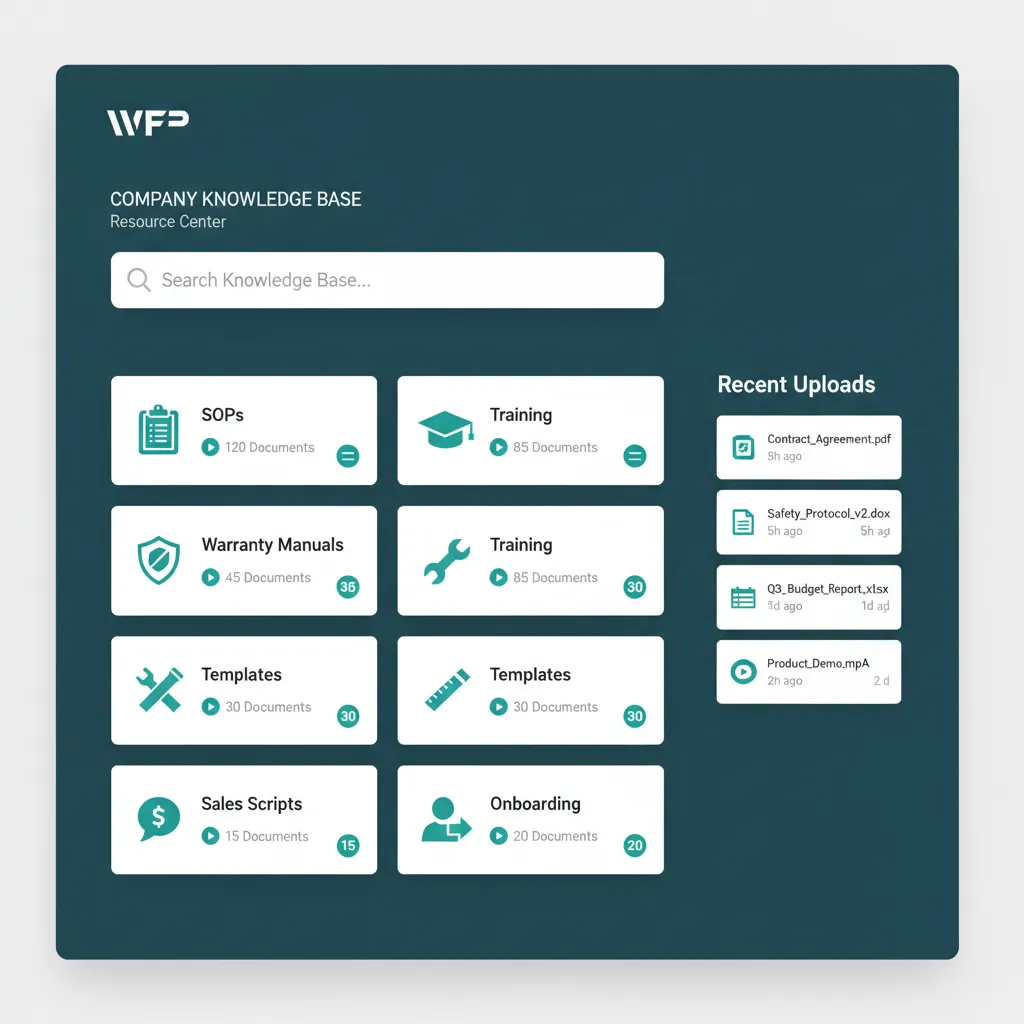
Every Time Someone Quits, the Company Loses Three Years of Tribal Knowledge.
Your senior PM has been with you for four years. She knows where the warranty manual for the Pentair heater is. She knows the wording you use on neighbor notification letters. She knows which sub gets called first when the gunite truck shows up early. None of that is written down. It lives in her head. Last Friday she gave two weeks notice. The construction knowledge base software you do not have was supposed to capture that.
Your new PM starts in two weeks and the onboarding plan is to have him shadow her for a few days, then figure it out. The SOPs you swore you would write last year are in three different Google Docs nobody can find. The training videos you recorded during COVID are on a thumb drive in a desk drawer. The neighbor notification letter template you spent two months refining is somebody emailing it back to you when you ask. This is institutional knowledge built on the willingness of one person to be the human filing cabinet, and she is leaving.
Onboarding takes three weeks instead of three days because the company knowledge is not in the company.
A Knowledge Base Built Into the Operation
WFP Resource Center is the company-level knowledge layer. Every document, video, template, and SOP your team uses lives here, organized in folders your team designs, searchable across the whole library, and separate from the project-level files that live tied to a specific job. The new PM who joins on Monday opens the Resource Center and starts learning. The senior PM who quits does not take three years of company knowledge with her.
Company-Wide Document Repository
SOPs, training documentation, manufacturer warranty manuals, neighbor notification letter templates, sales scripts, equipment troubleshooting guides, customer onboarding flows. Anything that applies to more than one project lives in the Resource Center. Configurable folder structure per company so the construction knowledge base software matches the way your team already organizes information.
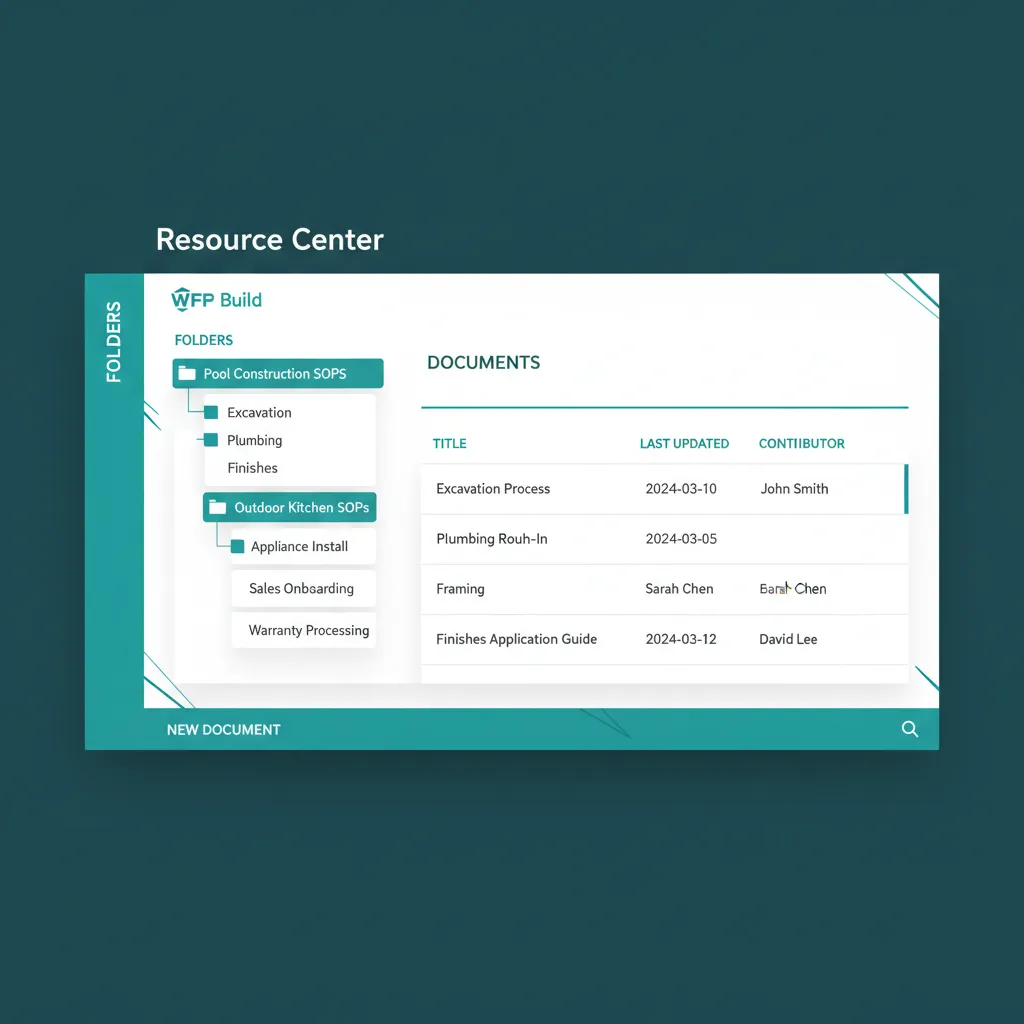
Pool SOPs, Outdoor Kitchen SOPs, Warranty Processing. Folders your team named, not ours.
Internal Documentation: SOPs, Training, Manuals
Step-by-step SOPs for every recurring process: how to handle a permit slip, how to issue a work order, how to process a warranty claim, how to onboard a new customer. Training videos for the platform itself, for company processes, for trade-specific techniques. Manufacturer manuals for every brand of equipment your company installs.
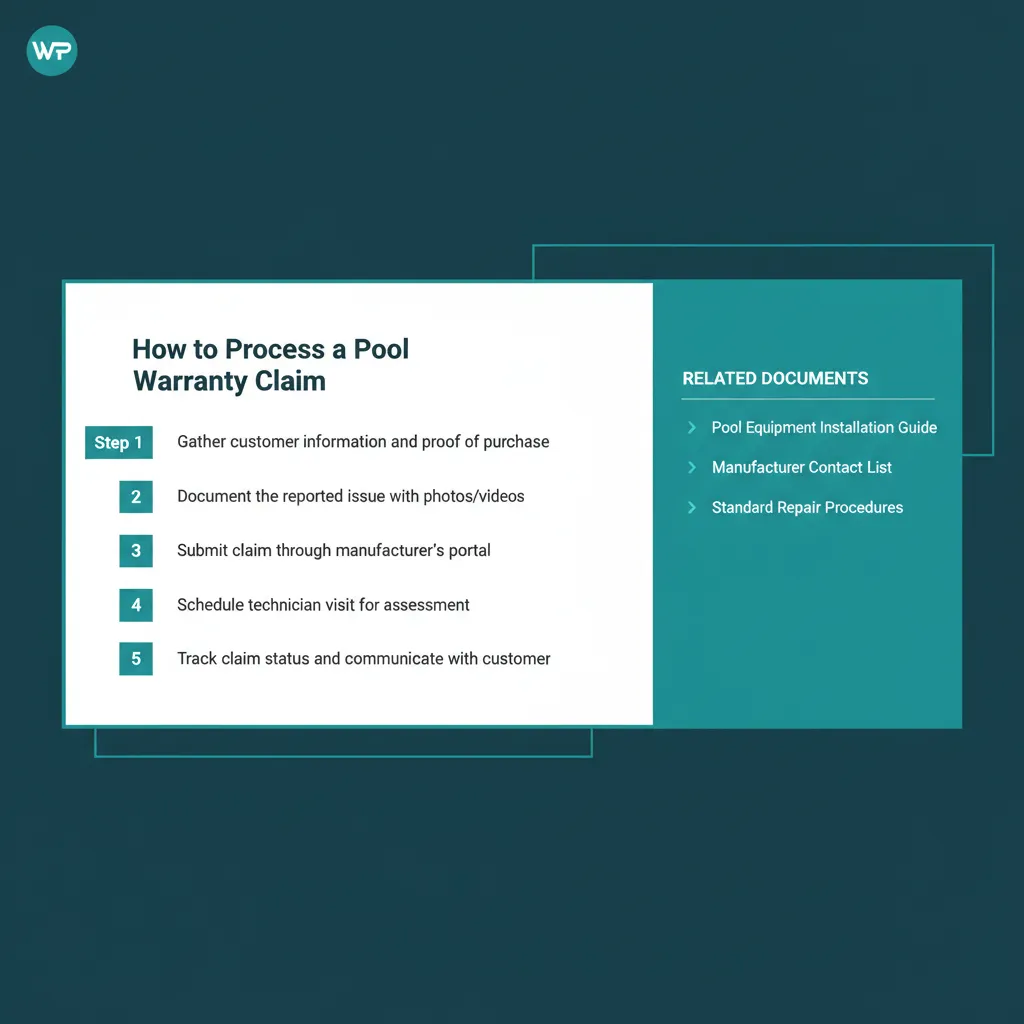
Numbered steps. Embedded screenshots. The SOP is readable, not a paragraph in a doc.
Templates Library
Neighbor notification letters, customer onboarding emails, work order templates, warranty claim forms, change order templates. Pre-written, version-controlled, ready to be copied or adapted for the next project. The construction resource center your team already wished existed.
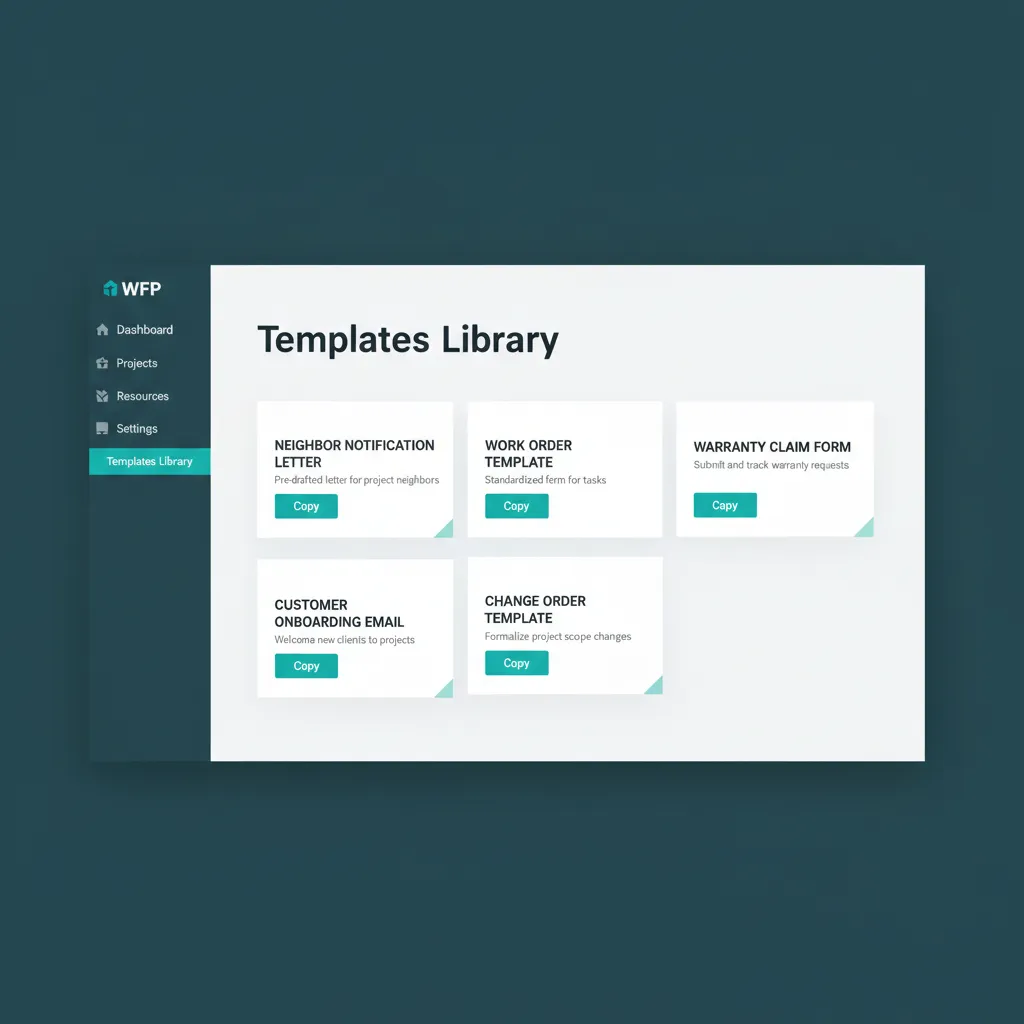
Five templates. Five copy buttons. The PM grabs the right one and moves on.
Functions as an Intranet
Internal-only company announcements, policy updates, employee handbook, benefits information. The Resource Center doubles as the construction intranet your company never built because it was always too low priority. Read receipts and completion tracking on training documents and policy updates.
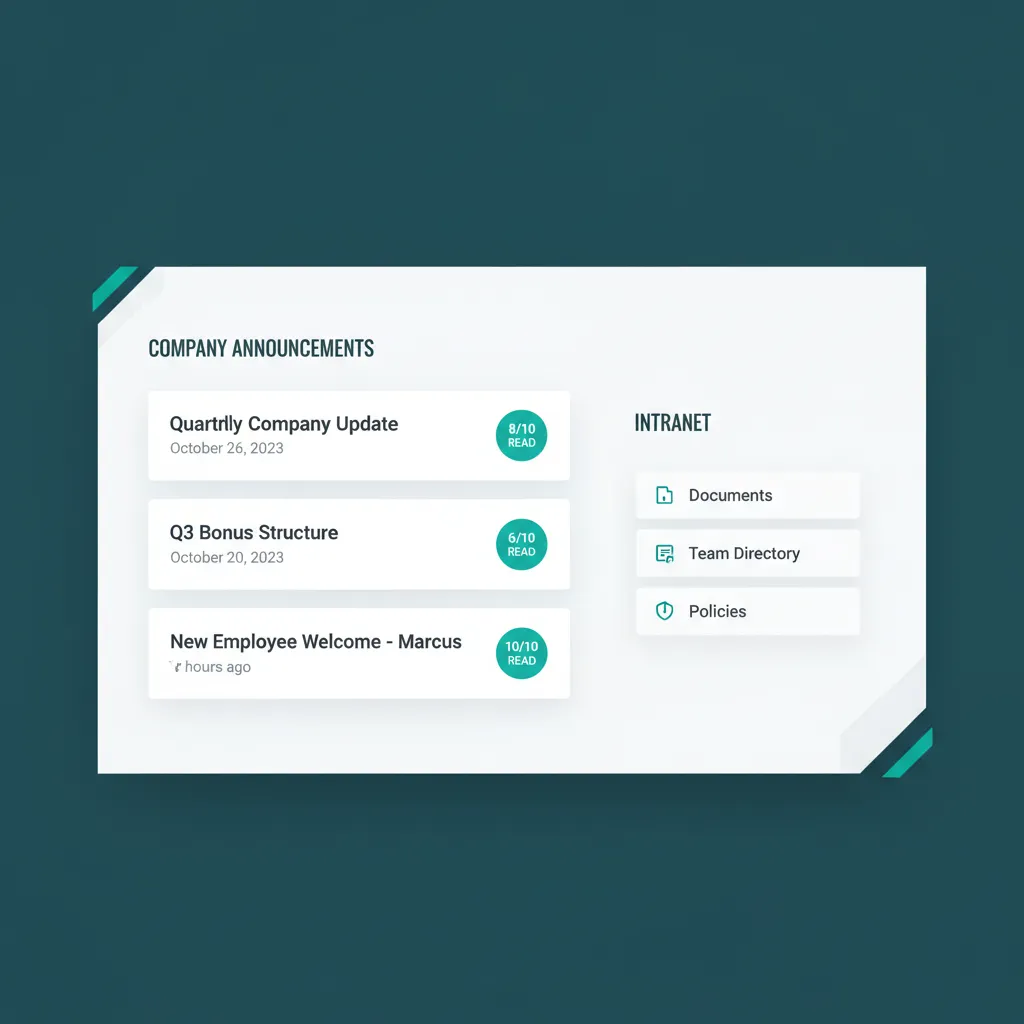
Announcements have read receipts. Policy updates do too.
Separate from Project-Specific Files
Project files (the blueprint for the Henderson pool, the contract for the Smith remodel) live tied to the project record. Company files (the warranty processing SOP that applies to every job) live in the Resource Center. Two layers, two scopes, no overlap. Searching for the warranty manual does not return 47 project blueprints. Searching for the Henderson blueprint does not return the company-wide warranty SOP.
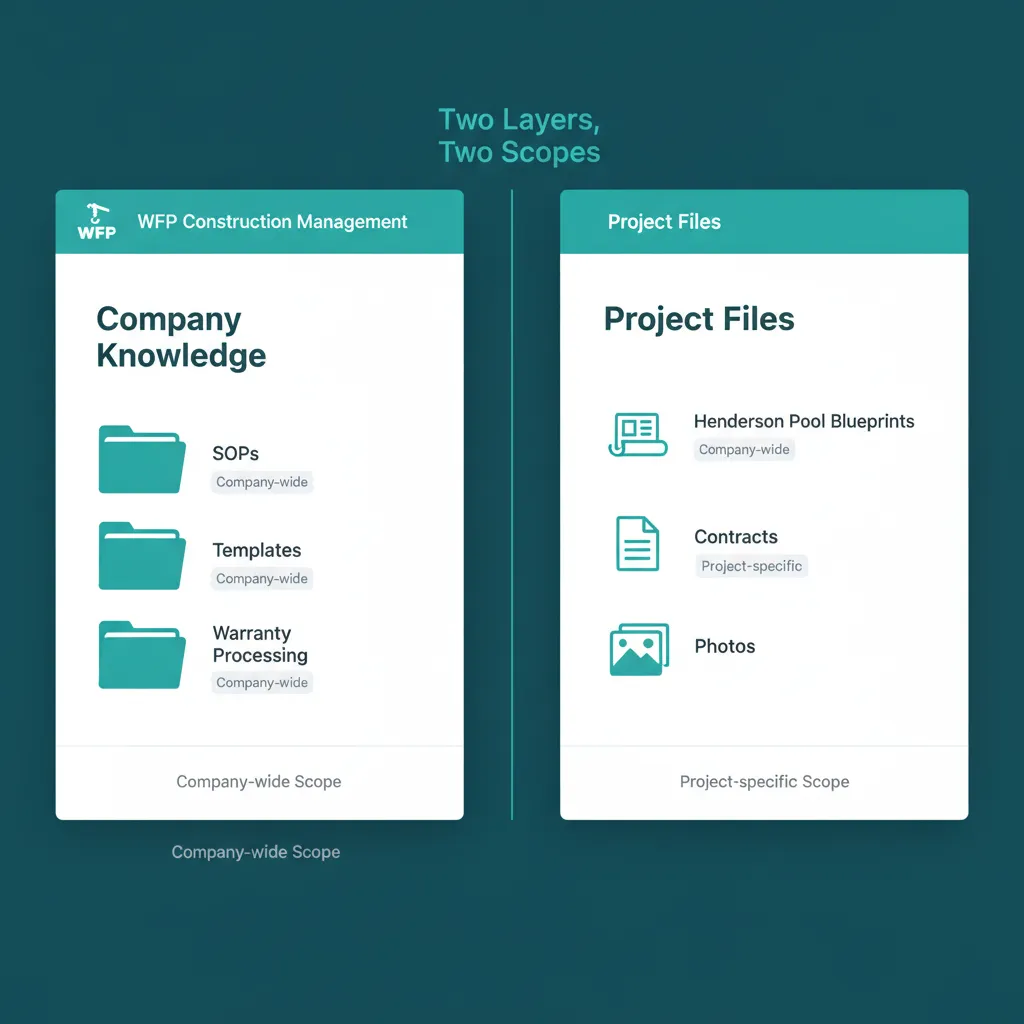
Two layers. Two scopes. The warranty SOP and the Henderson blueprint never collide.
WHAT GENERIC FILE STORAGE CANNOT DO
Project Files and Company Knowledge Are Not the Same Thing.
Most construction tools have file management. They give you a place to attach blueprints, contracts, and photos to a specific project. Useful, but incomplete. The documents that live above the project level (the SOPs, the training, the templates that span every job) have nowhere to go. Most companies put them in Dropbox or Google Drive and watch them rot.
WFP separates company-level resources from project-level documents. The Resource Center is a first-class part of the platform, not a generic folder structure tucked into a settings page. New employees onboard against it. PMs in the field reference it from the same app they use for work orders. The company knowledge stops being a Dropbox link nobody opens and starts being part of how the team actually works. Two layers, two scopes, both inside the same platform.
Why we built this
Project files are tied to a job. Company knowledge is tied to your company. Both belong in the same platform. Neither should be in the other.
KNOWLEDGE THAT STAYS
When the company knowledge lives in the company, the people stay too.
When the company knowledge lives in the company, onboarding stops being a 3-week shadow period. New PMs ramp faster because the SOPs are findable. Senior employees stay longer because their tools help them do their jobs instead of asking them to be the human filing cabinet. Institutional knowledge stops walking out the door with every resignation letter.
Common Questions About the Resource Center
Anything that applies to more than one project: SOPs, training videos, manufacturer warranty manuals, neighbor notification letter templates, sales scripts, equipment troubleshooting guides, customer onboarding flows, employee handbooks, policy documents, and company announcements. If a document is relevant across multiple jobs or to the company as a whole, it lives in the Resource Center.
Yes. Project files (blueprints, contracts, change orders, photos for a specific job) live tied to the project record on /features/file-management. Company files (the SOPs and templates that span every project) live in the Resource Center. The two layers do not overlap, and searching one never returns results from the other.
Yes. The Resource Center is company-wide by default. Configurable visibility on individual folders if certain content needs to be restricted (HR documents, leadership-only resources), but the default is full team access. The PMs in the field use the same library as the office.
Yes. The folder structure is configurable per company. You can mirror the way your team already thinks about company documents, whether that is by department (Sales, Operations, Warranty), by document type (SOPs, Training, Templates), or by trade (Pool, Outdoor Kitchen, HVAC). The internal knowledge base construction teams already imagine in their heads becomes the actual folder tree.
Yes. Read receipts and completion tracking are available on training documents and onboarding sequences. Useful for compliance training, new hire onboarding, and verifying that policy updates have been seen by the team. Reporting on completion lives alongside the rest of WFP reporting.
New PMs and new hires open the Resource Center on day one and find the SOPs, training videos, and policy documents they need to ramp. Onboarding goes from a 3-week shadow period to a 3-to-5-day structured ramp. Senior employees stop being the bottleneck for every new question.
Related Features
See the WFP Resource Center in Action.
Bring three SOPs you wish your team always followed to a demo. We will show you how the Resource Center makes them findable, trainable, and traceable.
Schedule a DemoNo 6-month onboarding commitment. No per-seat pricing. Just a conversation about how your operation could run.