You Need the Engineering Plan for the Reyes Project. Right Now. It Is in Email. Or Dropbox. Or That Folder Nobody Manages.
WFP organizes every survey, permit, blueprint, contract, and progress photo per project, with role-based visibility for your team, your subs, and your customers.
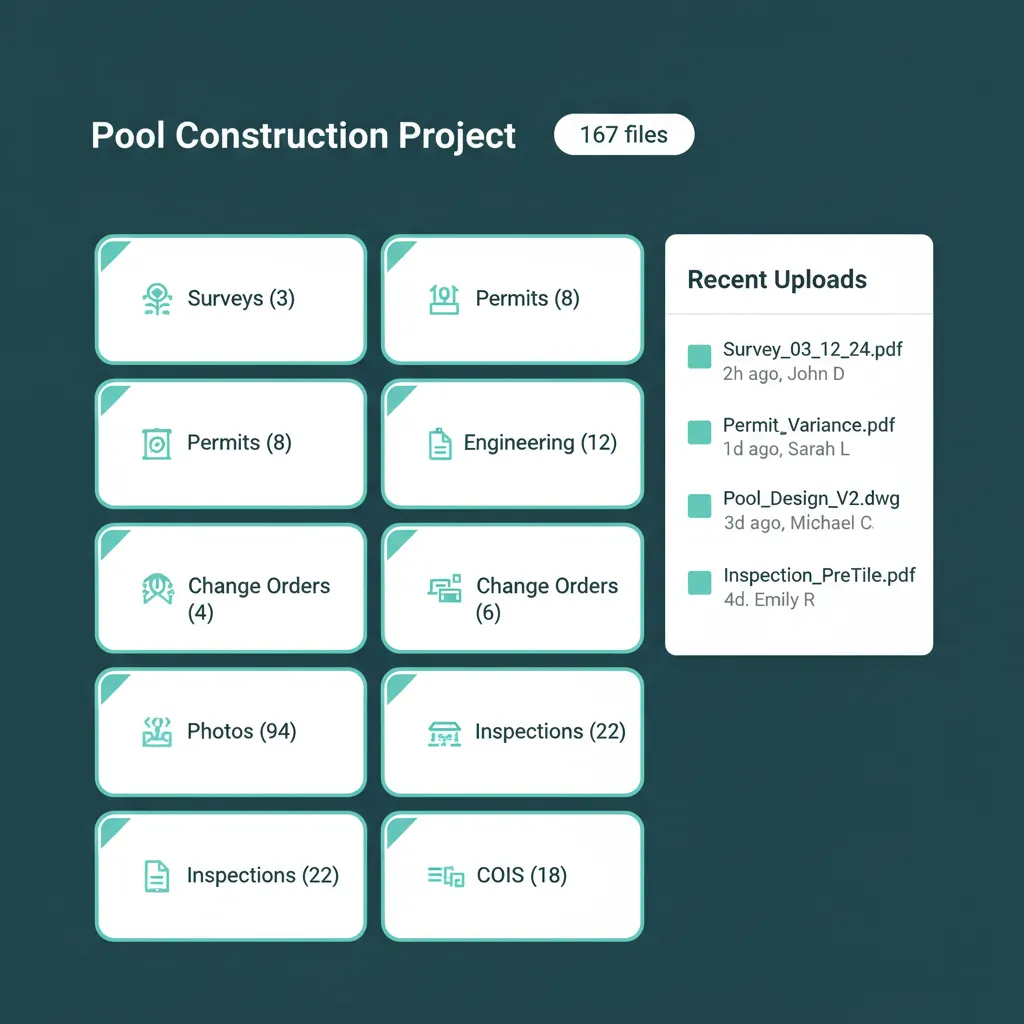
A Pool Build Generates Two Hundred Documents. Almost All of Them End Up Somewhere You Cannot Find Them.
A pool build generates surveys, plot plans, permits, structural engineering drawings, equipment specs, signed contracts, change orders, daily progress photos, inspection reports, COIs from every sub, manufacturer warranty documents, and a stack of municipal correspondence. By project completion, you are looking at 150 to 250 documents. Most of those live somewhere your team cannot reliably find them six months later.
This week, your PM needs the engineering plan for the Reyes project to send to the gas inspector. He looks in email, it might be there from when the engineer sent it. He looks in the company Dropbox, there are six folders that could be it. He texts the engineer asking for a fresh copy. The engineer replies an hour later. The inspector waits. The job waits. A homeowner who paid you ninety thousand dollars waits. Construction document management software exists to end this scene, and a shared drive is not it.
Disorganization is not a personality flaw on a construction site. It is a procedural one. Files scattered across tools is the symptom of having no project-aware document system. Build the system once, and the daily scramble ends.
Files scattered across email, Dropbox, and someone phone is not a filing system. It is a tax on every project.
Project-Specific Storage. Role-Based Visibility.
WFP gives every project its own document hub, organized by category. Surveys, permits, engineering, contracts, change orders, photos, inspections, each category has its place. Every file inherits the visibility rules you configure for the project: team-only, team-and-subs, team-and-customers, or all parties. This is construction file management built around the way construction projects actually generate paperwork, and project document storage construction owners can finally trust.
Project-Specific Document Storage
Every project gets its own document hub. No shared drive folder structure to maintain. Files attach to the project itself, organized by category, accessible from inside the project view. Open a project, see its files. Open a different project, see its files.
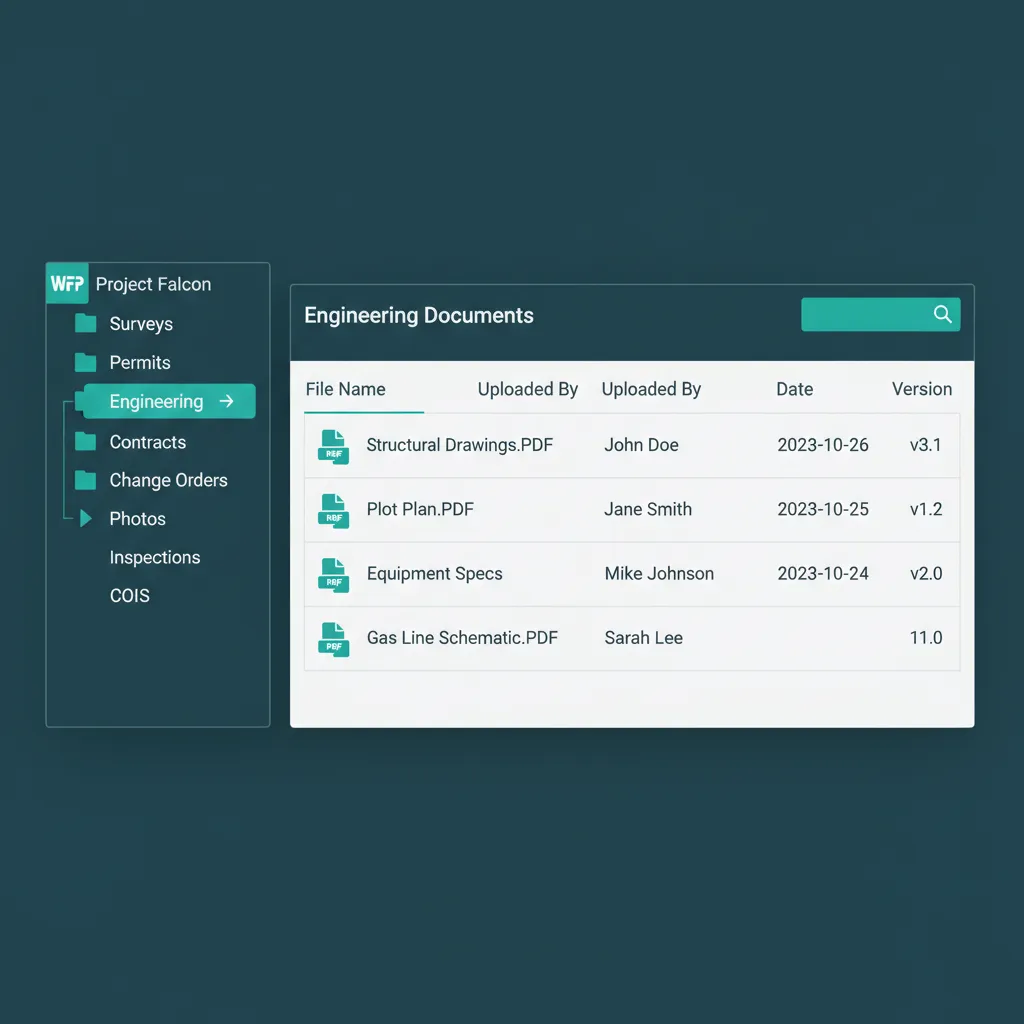
Open the project. The files are already where they belong.
Role-Based Visibility for Team, Subs, Customers
Every file is assigned a visibility rule. Subs see the blueprints for the step they are working on but not the customer signed contract. Customers see their final plans, completion certificate, and warranty documents but not the subcontractor pricing. Your team sees everything. The right file goes to the right person, automatically.
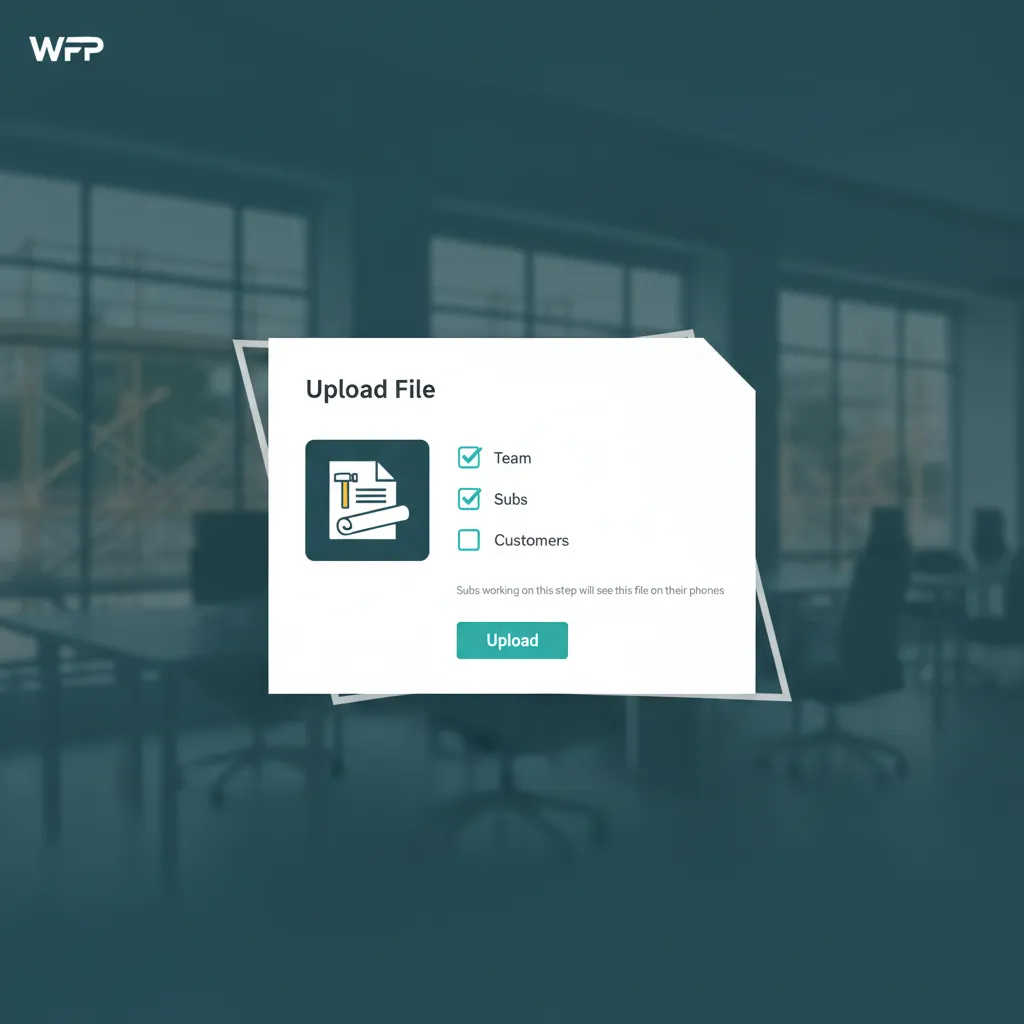
Three checkboxes. The platform handles the rest.
Configurable File Requirements Per Project Type
A pool build expects a survey, a plot plan, a permit, signed structural drawings, equipment specs, and a signed contract. Configure those as required files for the Pool Build project type, and every new pool project flags itself as incomplete until the required documents are uploaded. The platform refuses to let a project advance through Permitting without the documents that phase needs.
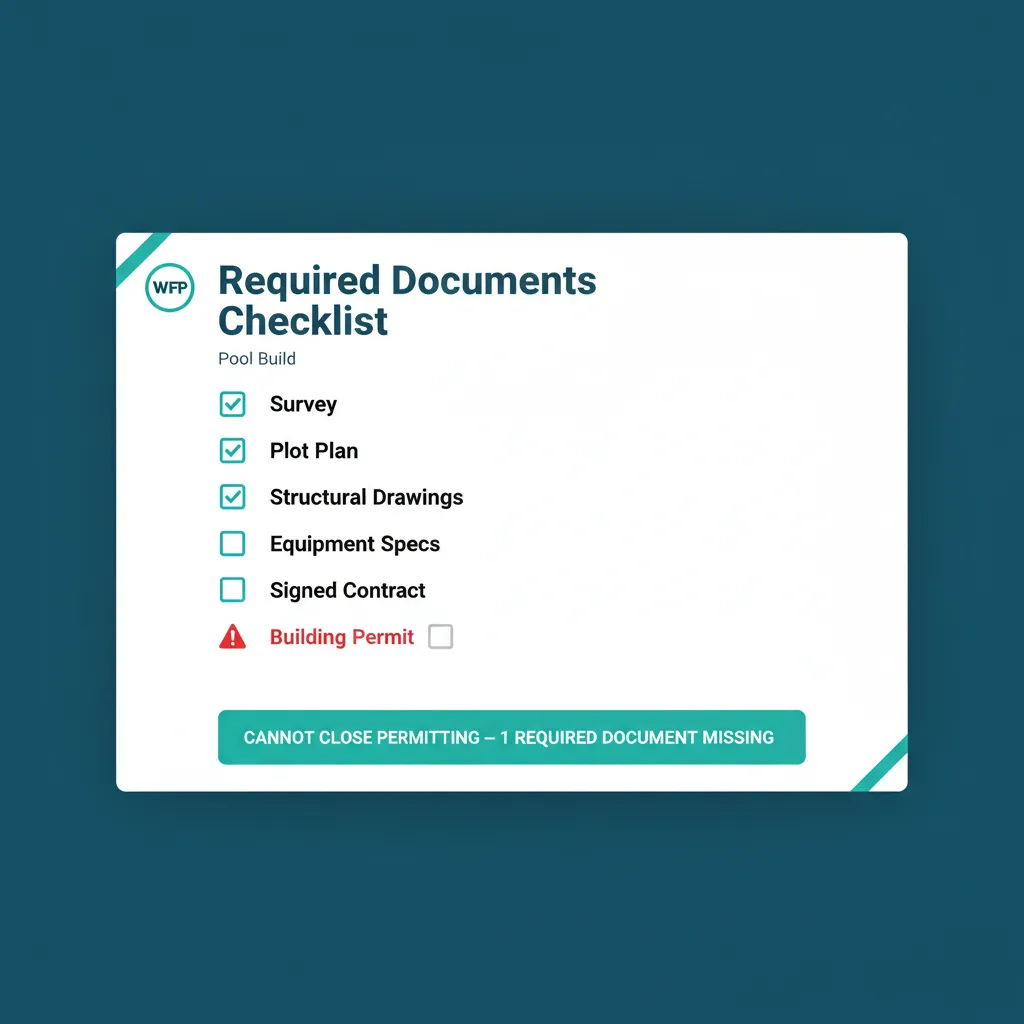
Permitting cannot close until the permit is in the system.
Sub-Friendly Mobile Access
Subs see their assigned blueprints on their phones. No login friction, no scrolling through a Dropbox folder structure, no asking the PM to text the plans. The work order links directly to the documents the sub needs for that step. Construction blueprint management built for the field, not for the office.
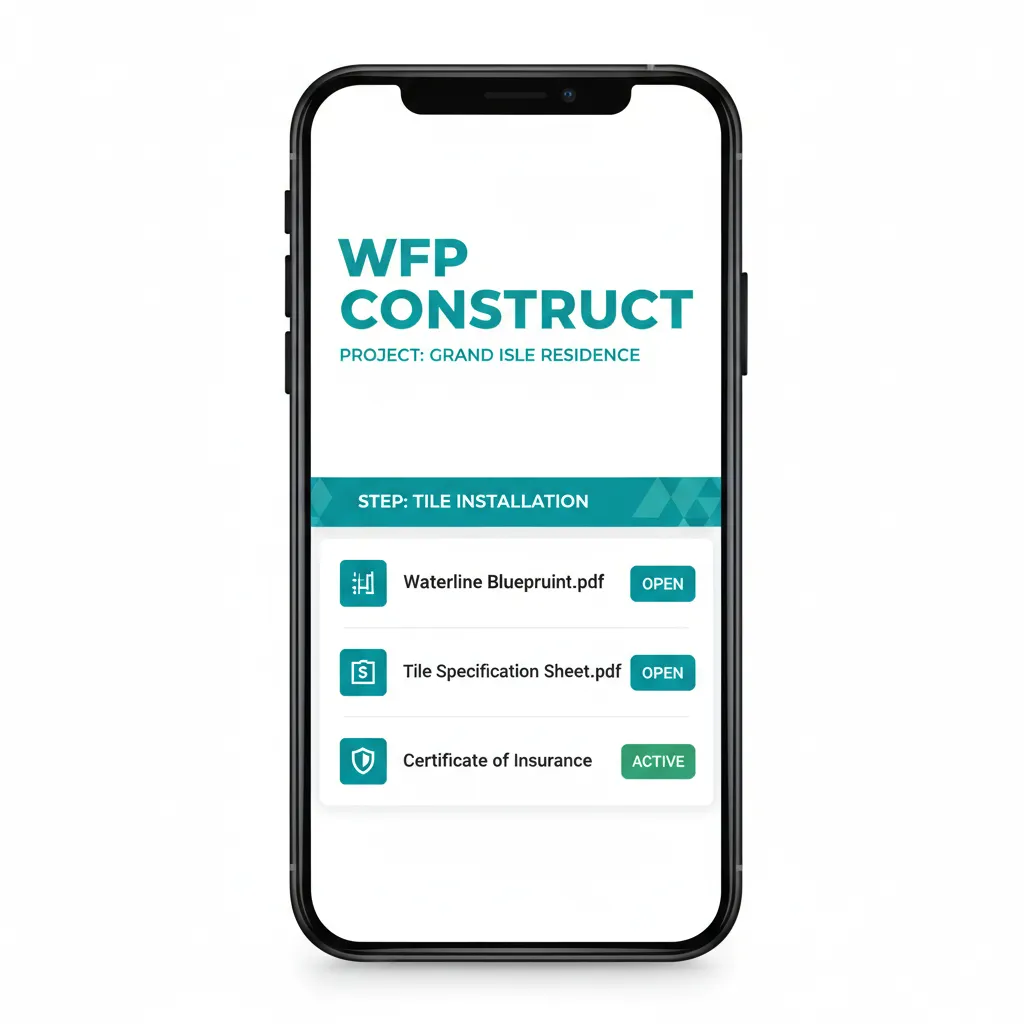
The sub opens the work order. The blueprints open with it.
Audit-Ready Archive
Every file in the system is timestamped, attributed, and retained. If a legal situation arises three years from now, every signed change order, every COI, every permit, every inspection report is searchable in seconds. The chain of custody is complete, and construction document control software is finally what its name implies.
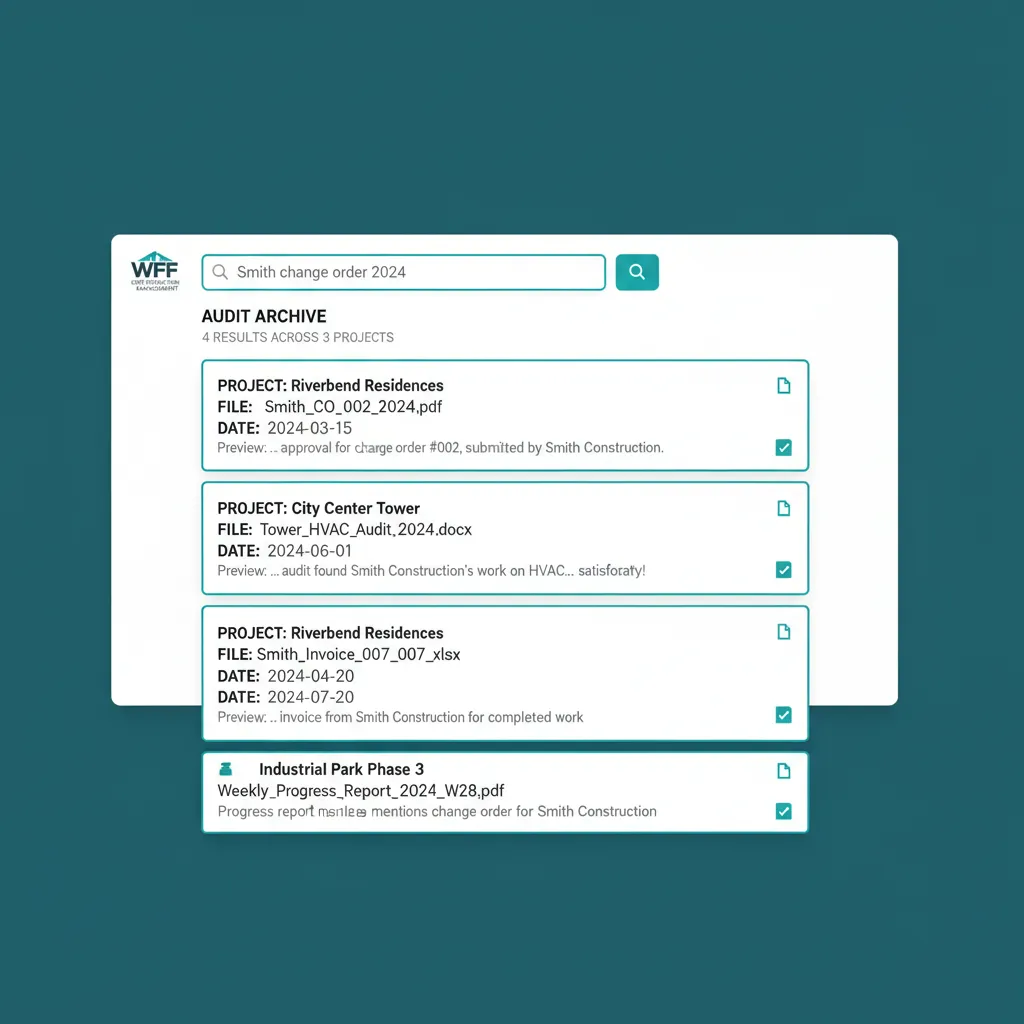
Three years ago. Forty seconds to find it.
WHAT GENERIC FILE STORAGE CAN'T DO
Dropbox Is a Folder. WFP Is a Document System.
Dropbox does not know your structural drawing belongs to Production phase. Google Drive does not know your COI belongs to a specific subcontractor on a specific project. SharePoint does not refuse to let a permit application close without an attached approval letter. Generic file storage tools are buckets. They do not understand what is in them.
WFP does. Files attach to projects, projects belong to phases, phases require specific documents, and roles see only what they should. Your subs see the blueprints they need on their phone. Your customers see the documents you want them to see. Your team sees everything. The system does the sorting, so your PM is not the sorting system.
Why we built this
Disorganization is a tax on every project. WFP is the audit.
BATTLE-TESTED
Search Across Years. Results in Seconds.
Inside the construction company where WFP was built, a single document search across years of completed projects took seconds, not days. The audit-ready archive turned legal and insurance moments from emergencies into routine. Every COI from every sub on every project, every permit, every signed change order, accessible within minutes of someone asking. That is the quiet ROI of document management for pool builders who have lived through one liability scare.
Common Questions About File Management
Standard document and image formats: PDF, DOC, DOCX, XLS, XLSX, JPG, PNG, HEIC, TIF, DWG, plus most other common construction file types. Large files like high-resolution as-built drawings and project photos are supported with reasonable per-project storage.
Yes, with role-based visibility. Subs see the documents for the work order they are assigned, on their phones, without logging into the full platform. They do not see customer contracts, financials, or files outside their work order.
Yes. Required-document lists are configurable per project type. A pool build can require a survey, plot plan, permit, structural drawings, and signed contract before Permitting closes. Missing required documents flag the project until they are uploaded.
Yes, when role-based visibility is set to allow it. Customers see their finalized plans, signed contract, completion certificate, warranty documents, and any other files you choose to share. They never see internal pricing, subcontractor agreements, or staff communications.
Daily progress photos, post-inspection photos, and as-built photos all attach to the project, organized by date or by phase. Photos from any team member upload from a phone directly to the project.
As long as you keep them. The audit-ready archive retains files indefinitely by default. Files from completed projects remain searchable across years for legal, insurance, and warranty purposes.
See File Management in Action.
Bring a project from last year and we will show you how WFP would have organized every document on it, from the survey to the warranty paperwork.
Schedule a DemoNo 6-month onboarding commitment. No per-seat pricing. Just a conversation about how your operation could run.